
Short answer: To get the best out of Google Gemini, ground every prompt with your own sources, ask for structured outputs, and run in repeatable templates. Use Drive links, JSON schemas, and cached briefs so Gemini produces accurate, shippable work. This cuts edits, boosts reliability, and turns Gemini into a production component for content and research.
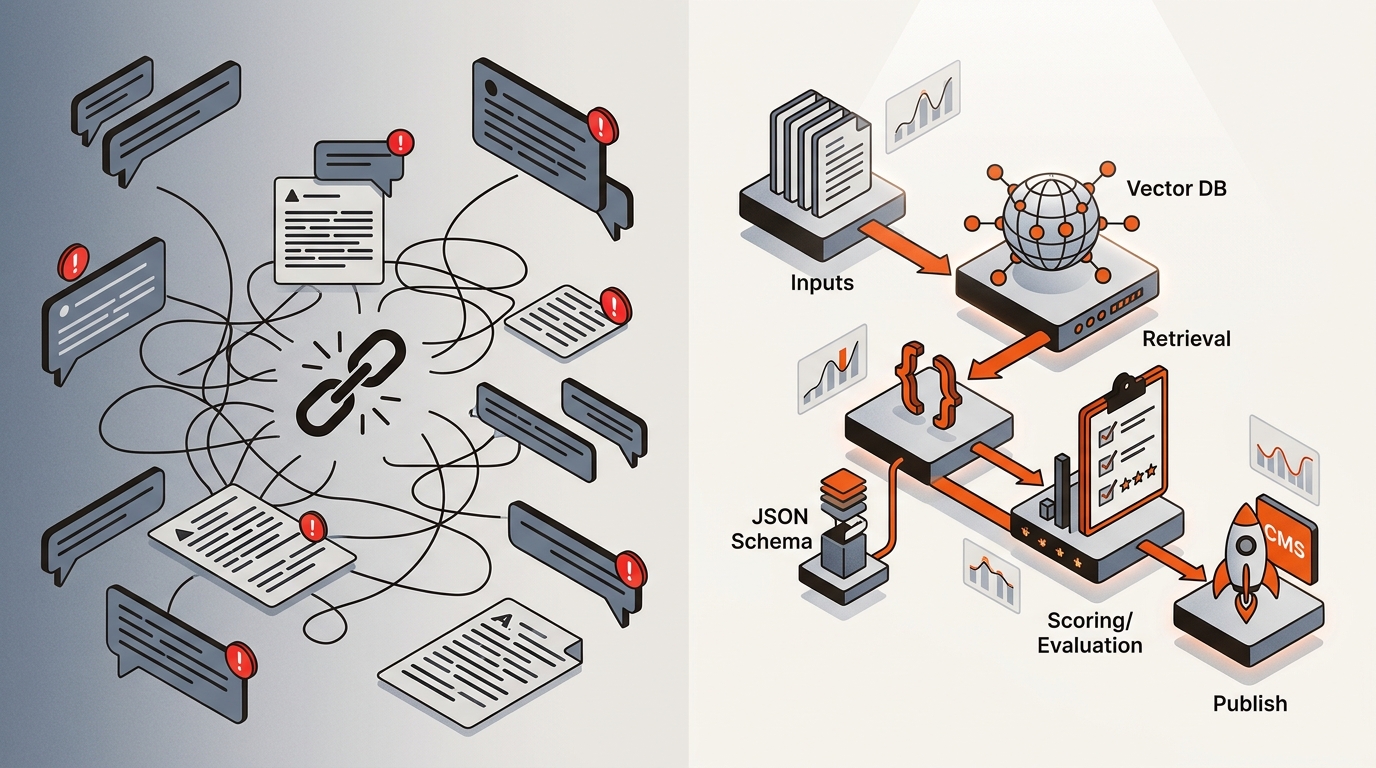
A small growth team cannot afford rewrites. You need a system: research via Ahrefs, brief with SERP entities, ground with product docs, and demand structured outputs Gemini can slot into your CMS. The tradeoff: setup takes time up front before the system pays off.
Use the right Gemini mode for each job: research grounding, structured drafting, and review loops.
Gemini approaches vs impact for growth teams
For deeper context, see What Is The Best AI Search Visibility Tool.
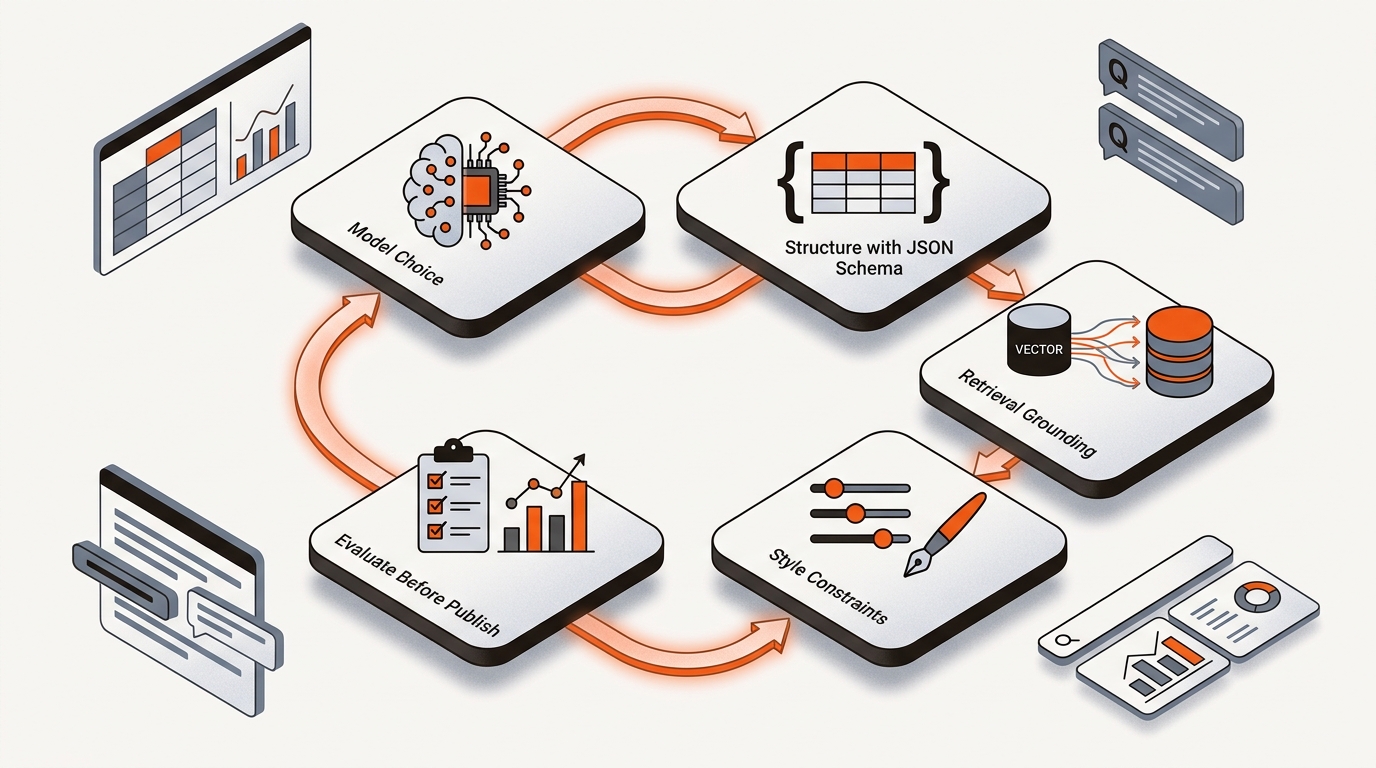
Treat Gemini like a production step: brief, ground, structure, and validate.
•
Build a source vault. Put product docs, pricing policies, onboarding guides, and case studies in a single Drive folder. Tag files with consistent names Gemini can reference.
Write a reusable brief. Pull target query, intent, and entities from Ahrefs/SEMrush. Add top 5 competitor URLs and notes on gaps. Ask Gemini: "Draft only from these sources. If missing, return TODOs."
Demand structure. Ask for h1, slug, meta, h2-3s, table data, FAQ pairs, and schema (Article + FAQ). Validate JSON in a linter before CMS import. This keeps your internal links, schema, and on-page pattern consistent.
Run a two-pass loop. Pass 1: outline + table of contents. Pass 2: full draft with citations to your Drive files.
Validate entities and facts. Spot-check against GSC queries and Ahrefs parent topics. If Gemini missed core entities, feed those as must-include and regenerate the section.
Mergeflo handles research and drafting in your brand voice, and publishes the articles you approve to Webflow.
Mergeflo is an autonomous SEO + AEO content engine: it finds gaps, drafts articles with FAQ schema and suggested internal links, and publishes what you approve to Webflow. We ground drafts on your Drive corpus, enforce JSON page specs, and push live. We also track citation share across ChatGPT, Perplexity, and Gemini so you know which pages get mentioned in AI answers and ship targeted fixes automatically.
Use Gemini with sources, structure, and checks to make it reliable for SEO and AEO work.
Ask Gemini to "use only these sources" and paste Drive links and URLs. Add "cite the file or URL next to each claim" and "if unknown, output TODOs."
Use it for synthesis. Pull keywords, volumes, and KD from Ahrefs/SEMrush. Feed those exports to Gemini with your ICP and constraints, then ask for a prioritized cluster and content map.
Yes, as part of a system. Use Gemini to align content with entities, FAQ blocks, and clear answers that AI Overviews lift.
Template your briefs and outputs to move fast, then gate changes with a short review checklist: entities covered, sources cited, JSON valid, internal links present. The tradeoff is a short QA pass per page that prevents larger rework later.
Small setup choices make or break Gemini in production.
Keep a "Sources v1" Drive folder and lock it. Only update monthly so outputs stay stable. Track prompt templates in Git or a shared Doc with version notes. Use a Sheets tab with columns for target keyword, brief link, sources, status, and CMS URL. Trigger Gemini runs from that sheet via API or manual workflow and post drafts to a team Slack channel for same-day edits.
If you want Gemini to work on Monday morning, decide the spec today: what a page includes, where facts come from, and how drafts reach your CMS. Then hold the system.
