
Automation buys you time only when it removes coordination friction. Siteimprove reports teams save 1-5 hours per week and 4+ hours per page on schema when they automate repeatable SEO tasks, with human review held for judgment calls Siteimprove. For lean teams, automated SEO workflows mark the difference between shipping weekly and slipping monthly.
Automated SEO workflows are not a bot army. They are a sequence of scoped handoffs: collect, enrich, propose, approve, publish, and measure. Done well, they compress cycle time without diluting your angle, brand voice, or prioritization.
Operators who ship with constraints. Founders running GTM with limited headcount. Growth teams coordinating content, approvals, and reporting across product, sales, and leadership. If you need more output without adding management overhead, this is for you.
You care about cycle time. You want automation to carry volume work while humans decide angles, edit for clarity, and sign off.
For deeper context, see SEO Agency Retainer vs Autonomous SEO Costs and Outcomes.
Automate collection and suggestion; keep strategy and voice human. Use crawlers and NLP to cluster keywords, generate outlines from SERP patterns, and surface internal link targets. Lock humans to choose angles, edit, and set acceptance criteria.
Schema generation consistently saves multi-hour effort per page when automated, while still benefiting from a light editorial check Siteimprove.
For example, assuming a three-person growth team with a monthly content budget of two thousand dollars, a Webflow site, Ahrefs for research, Google Search Console for query mapping, and Screaming Frog for crawls. They cannot afford agency slippage or handoffs across three vendors. They need one lane that catches requests, spins up a brief, drafts, gates QA, and publishes to Webflow with tracking in place.
Operational tradeoff: speed vs depth. Publishing 20 thin articles will lose to 8 thorough ones if entity coverage and answer completeness lag. Set a floor for coverage and unique insight, then scale volume.
Start with high-volume, low-judgment tasks; phase in the rest. The table shows common wins and the QA gates that keep quality tight.
| Approach | When it fits | Setup effort | Ongoing cost | Typical automations | Key tradeoffs |
|---|---|---|---|---|---|
| Mergeflo automated SEO workflows | Startup teams that want standardized pipelines for briefs, clustering, and internal link suggestions without managing infrastructure | Low | SAAS subscription that scales with usage or seats | Keyword clustering from GSC and third-party data, content brief generation, internal link recommendations, scheduled reports to Slack or email | Less control over custom logic than in-house builds; depends on vendor limits and roadmap |
| No-code automation tools with SEO APIs (Zapier, Make) | Small teams automating a few repetitive tasks across GSC, Sheets, Slack, CMS | Low to medium | Per-task or tiered plan; costs rise with run volume | Pull GSC queries to Sheets, trigger brief creation, alert on crawl or ranking changes, update CMS fields via webhooks | Complex branching and error handling are hard; rate limits and task caps require tuning |
| In-house Python scripts with cron or GitHub Actions | Teams with developer bandwidth and need for custom logic or data joins | Medium | Engineer time plus low cloud costs | Scheduled crawls, API aggregation (GSC, Ahrefs, Analytics), deduping, template-based brief generation, CMS publishing via API | Ongoing maintenance, monitoring, retries, and secrets management; bus factor risk |
| Orchestrated data pipeline (Airflow or Prefect + BigQuery or Snowflake) | Data-heavy orgs with multiple sites and governance needs | High | Cloud compute and storage plus data engineering time | Orchestrate crawls, join logs and analytics, topic gap models, automated QA and dashboards | Overhead is high for early-stage teams; requires data engineering skills |
| SEO platform automations (Ahrefs, Semrush, Sistrix) | Teams needing audits, alerts, and tracking out of the box | Low | Platform licenses; add-ons for extra users or projects | Scheduled site audits, backlink and rank alerts, content gap reports, scheduled exports | Limited customization and workflow logic; export and API quotas |
| CMS-native automations and plugins (WordPress, Webflow) | Content-led sites using popular CMS and needing quick wins | Low to medium | Plugin fees or higher-tier CMS plans | XML sitemaps, schema injection, redirects, internal link rules, image optimization | Plugin conflicts and performance overhead; limited cross-tool integration |
| Outsourced agency with automation playbooks | Non-technical teams that want execution plus guidance | Low | Monthly retainer plus tool pass-through | Automated reporting, audit schedules, content briefs, backlink monitoring via their stack | Less transparency and slower iteration; vendor lock-in risk |
| Manual spreadsheet workflows with templates | Very early stage validating process before automating | Low | Minimal or free | Task checklists, keyword tagging, status tracking | Error-prone, time-consuming; difficult to enforce consistency |
Calibrate tools against your site scale. If you manage 100+ pages, automated internal linking suggestions offer compounding value. If you run <20 pages, focus on brief scaffolds and schema where savings are immediate and low risk.
Sources for workflow patterns and SOP design: monday.com SEO workflow, SearchAtlas automation guide.
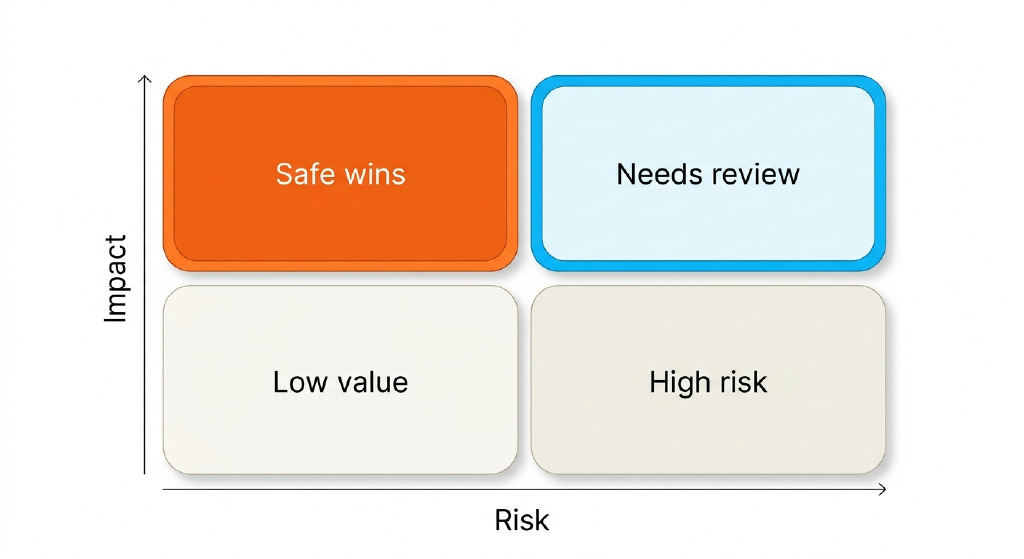
Adopt automation in levels, not all at once. The 4R Ladder is: Repeat, Recommend, Review, Release. First, automate Repeat steps that move data without judgment. Next, let the system Recommend options like briefs, links, and schema with clear confidence labels. Keep humans to Review approvals with time-boxed checklists. Finally, Release gated automations such as publish, notify, and index only after SLAs are met. Tradeoffs: speed climbs as autonomy rises, but error cost also grows; set volume and risk thresholds where Release is allowed. Failure modes include hidden drift in entity coverage and creeping anchor text repetition; monitor both.
Apply it to one page type at a time. For example, run Repeat on clustering and FAQ mining for product pages, then Recommend schema and headings, Review with PMM and legal, and Release to Webflow when validation passes and internal links hit target density.
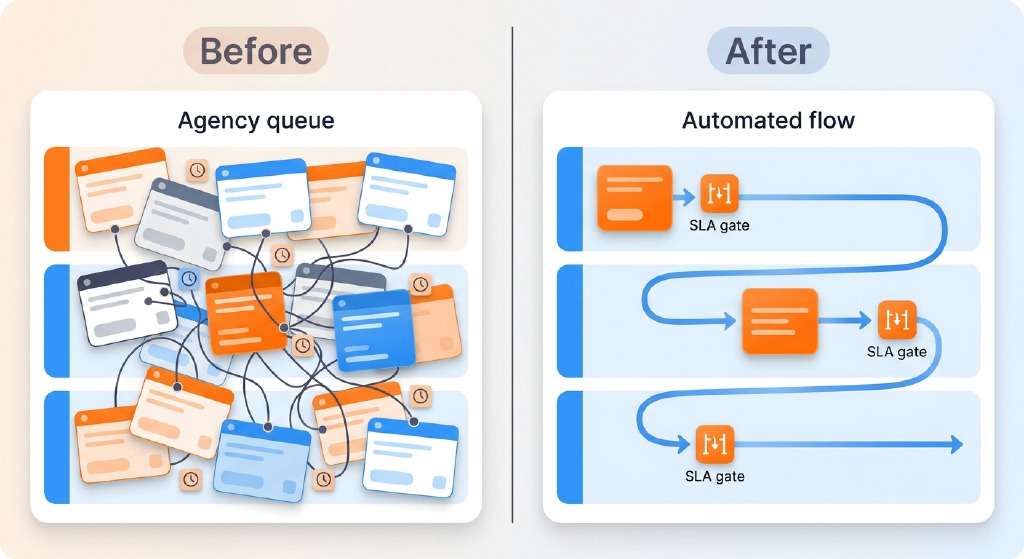
Agencies prioritize their utilization; your runway needs faster cycles. If your team moves routine SEO tasks to automated rails while reserving judgment for angle and approvals, you compress time-to-publish and keep standards intact. That balance lets you scale production without ballooning meetings or vendor tickets, and sets up the next section on governance.
SOPs and gates beat after-the-fact edits. Write acceptance criteria per step: target entities, questions to answer, link quotas, schema types, and tone rules. Enforce through checklists at draft and pre-publish.
For teams exploring autonomy levels, see how to build an autonomous SEO workforce.
A simple rule keeps reviews lean: the editor signs off on content quality at draft freeze, and PMM approves message and compliance at pre-publish. Everything else runs async with notifications and clearly defined SLAs.
For deeper context, see SEO Agency vs Autonomous SEO Platform.
AEO needs structure, coverage, and clarity. Automate question mining, FAQ blocks, and schema types such as FAQPage, HowTo, and Product so AI answers and overviews can source your content. Track entity coverage and Q&A completeness alongside rankings.
Generate question clusters tied to intent, then ensure each has a one-sentence answer in the draft. Produce Organization and Author markup consistently to reinforce E-E-A-T signals. Monitor appearance in AI answers as a first-class metric next to organic traffic.
Tooling overviews help when you shortlist SEO automation tools, but always pick for fit and workflow compatibility. For context, see Marketer Milk on SEO automation tools.
Assumptions and arithmetic you can sanity-check. Assume 8 posts per month. Manual brief time is 60 minutes per post, schema is 4 hours per page, internal links take 30 minutes per post, and reporting takes 3 hours per month. With automation, briefs drop to 15 minutes, schema to 30 minutes, internal links to 10 minutes, and reporting to 45 minutes, aligning to vendor-documented ranges and clear deltas from templates and validators.
Arithmetic per month: Briefs: (60 - 15) x 8 = 360 minutes saved, or 6 hours. Schema: (240 - 30) x 8 = 1,680 minutes saved, or 28 hours.
Start with high-volume, low-judgment tasks: clustering queries and mapping entities from GSC/keyword tools; extracting People Also Ask; proposing briefs and section questions; generating schema; surfacing internal link targets; and pushing to the CMS, sitemap, and indexing. Keep humans for choosing angles, acceptance criteria, and editing. Automation carries volume work, and a light editorial check ensures facts, tone, and compliance stay tight.
Design it as scoped handoffs: collect, enrich, propose, approve, publish, and measure. Let automation cluster keywords, draft outlines, inject schema, and insert internal links while applying your house style. Lock humans to pick angles, edit for clarity, and sign off against acceptance criteria. Add QA gates for facts, tone, and compliance. This compresses cycle time without diluting voice or priorities.
Start with platform automations (Ahrefs, Semrush) for audits and alerts, plus CMS-native plugins for sitemaps, schema, redirects, and image optimization. Layer no-code tools like Zapier or Make to pull GSC queries to Sheets, trigger brief creation, update CMS fields, and send Slack alerts. If you need custom logic, add lightweight Python scripts or use a vendor like Mergeflo for standardized briefs, clustering, and internal link suggestions.
Yes. A three-person team on Webflow can pull queries from Google Search Console, cluster them with Ahrefs data, generate briefs and section-level questions, and auto-generate schema. Draft variants, apply house style, and surface internal link targets. Push to Webflow via API, submit sitemaps, and request indexing. Schedule reports to Slack, tie GSC queries to pages, and track AI answer visibility. Keep QA gates for facts, tone, and compliance before publish.
