
Short answer: Add schema markup by selecting the correct schema.org type for the page, generating JSON-LD, placing it in the head or CMS custom code, validating with Google’s Rich Results Test, then shipping via templates. If you’re asking "how do I add schema markup," follow this flow and monitor GSC Enhancements and errors after changes.
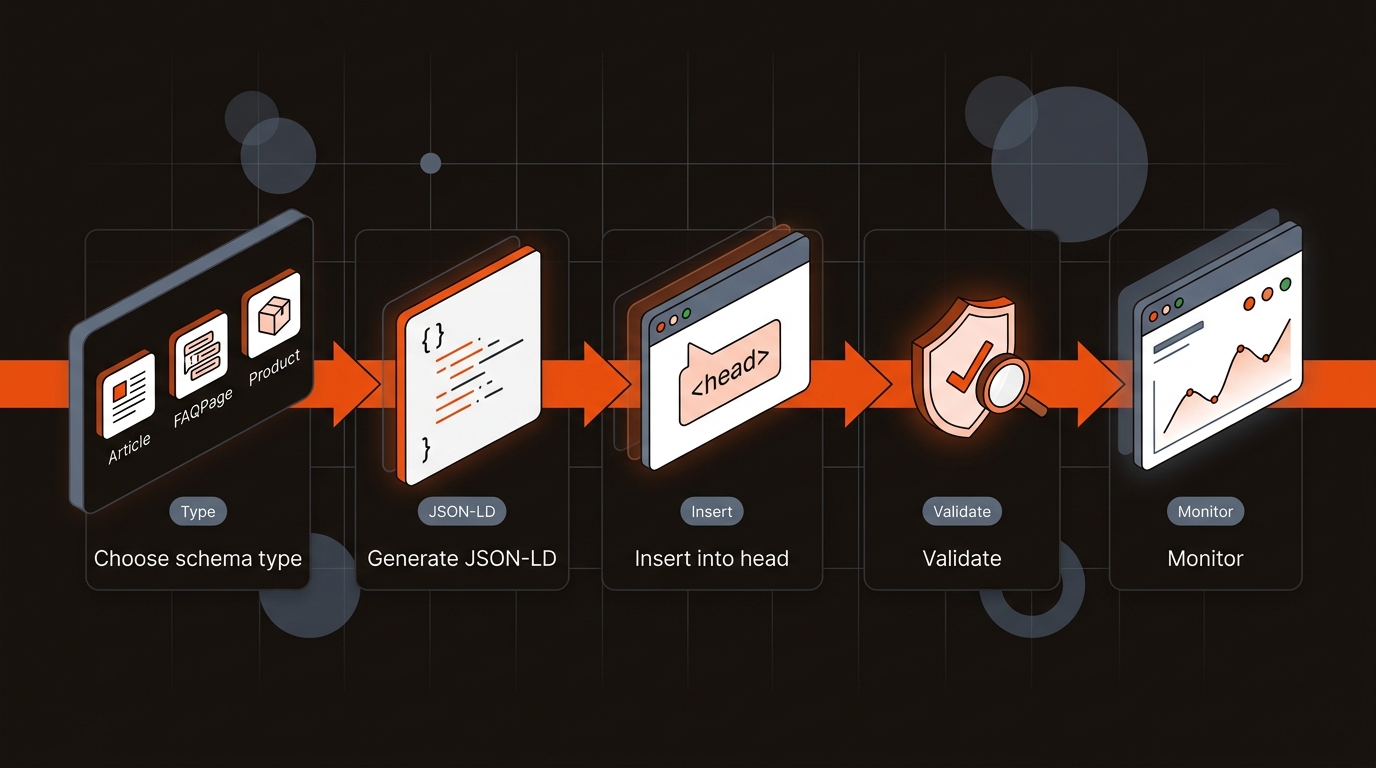
Most teams add generic Article markup everywhere, miss required fields, and ship broken rich result eligibility at scale. Errors come from mismatched types (Article on product pages), missing required properties (headline, author, image with 1200px width, dates), and schema drifting when templates change. One homepage redesign can silently invalidate hundreds of JSON-LD blocks.
"Structured data is not a ranking factor. It makes pages eligible for rich results.". Google Search Central
Use Google’s Structured Data docs to confirm required fields and test new code with the Rich Results Test. Treat schema as a template asset that updates with content and design changes. A 3-person growth team we worked with shipped 24 posts in a month and saw a 28% drop in valid Article items after a hero-image component change; restoring image width/height in JSON-LD fixed it within 48 hours.
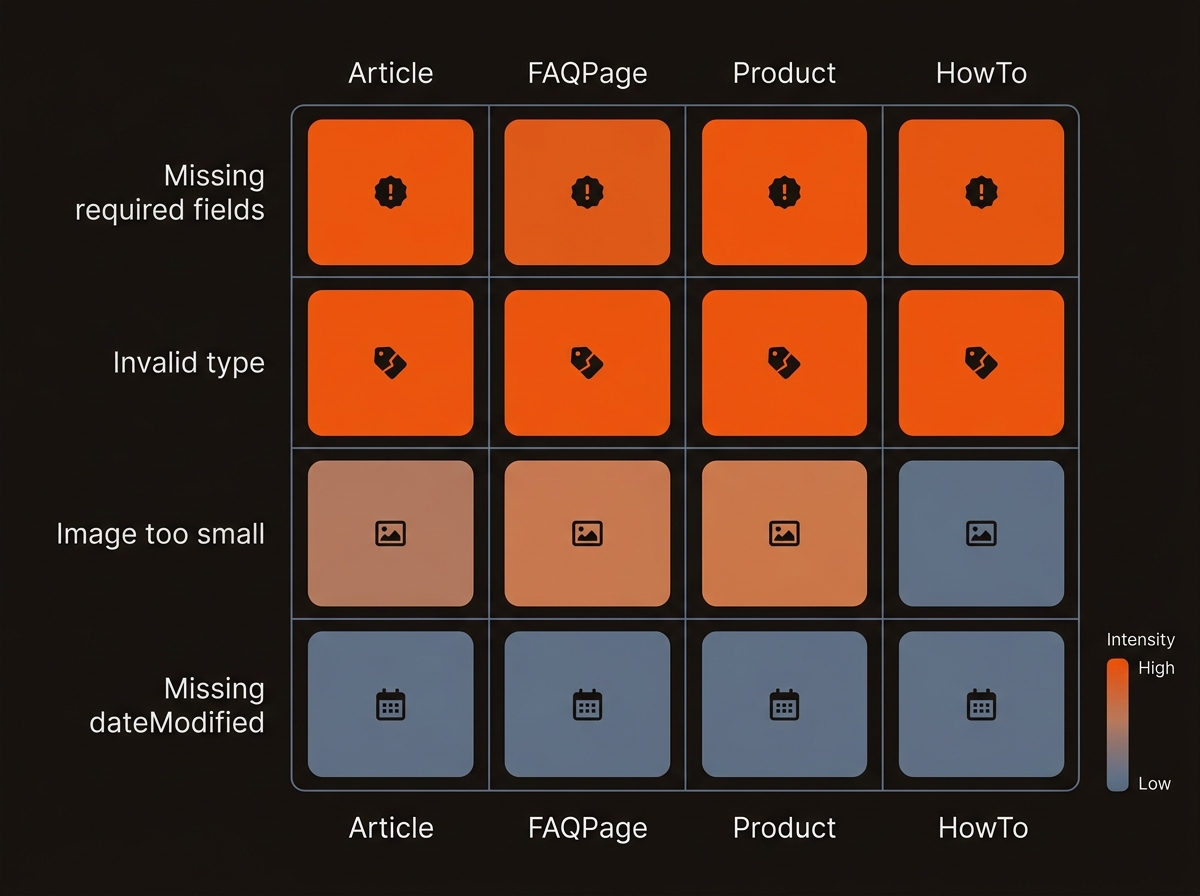
Most teams start by pasting JSON-LD into a couple of templates. Six months later, you find three copies per page, partial fields, and mismatched ids. Example: Product pages ship two Product entities, one from the PDP component and one from a reviews widget, each with a different @id. Offers blocks lack priceCurrency, or prices update but markup lags. Detect drift with a weekly crawl of 200 URLs per template, parse JSON-LD, and assert one entity per type unless documented. Derive @id from the canonical URL, not DOM state. Fail the build if required properties per type are null or blank.
Pick an implementation that matches your stack, then standardize it across templates. For most SAAS blogs and marketing sites, JSON-LD in templates is fastest and safest. Plugins help, but you still must map required properties and test on every release.
Comparison of schema implementation methods for startup marketing sites
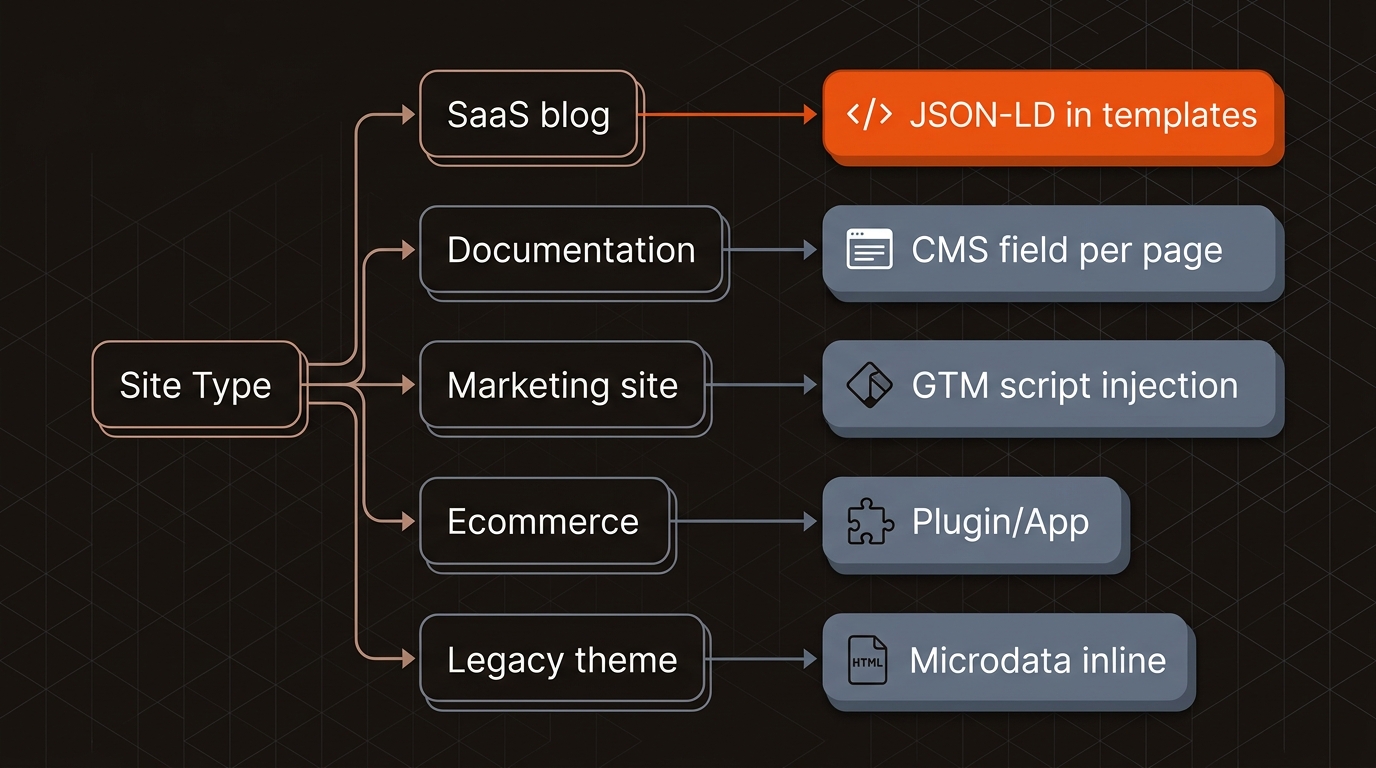
Product with name, image, sku, brand, offers.price, offers.priceCurrency. Inject data via template variables, unit test the output, and ship changes once to roll across every page using that route.
Schema must live in your publishing pipeline with tests. Define page types (Article, FAQPage, Product, HowTo), source properties from your CMS (headline, datePublished, author, image URL and dimensions), and render JSON-LD in templates/partials. Add a pre-publish check that blocks merges if Rich Results Test fails on representative URLs.
Track GSC Enhancements weekly. If valid items for a type drop by >10% week-over-week, treat it as a release blocker and bisect recent template or CMS field changes. Operational tradeoff: CMS field-per-page gives flexibility for edge cases but increases author error rate; template-level JSON-LD reduces mistakes but needs engineering time to map fields and deploy safely.
Scenario: a 2-person growth team publishing 15–20 posts/month used Screaming Frog to extract JSON-LD across 180 URLs and caught 32 pages missing dateModified after a CMS migration. They fixed the template and restored full Article eligibility before the next crawl.
Mergeflo operationalizes this. Our Autonomous SEO + AEO content engine ships research to published, AI-citable pages in your CMS, with schema, internal links, and ongoing refresh. It measures and fixes visibility across Google and AI engines (AI Overviews, ChatGPT, Perplexity, Gemini, Copilot) at startup pricing.
If you’re mapping this under technical SEO ownership, read our breakdown of the difference between SEO and technical SEO to align roles before you template your schema.
Operators ask these follow-ups while implementing schema; these answers keep pages eligible and ranking stable.
Use JSON-LD. Google recommends JSON-LD for most implementations because it’s easier to maintain and doesn’t tangle with your HTML structure. Microdata can work, but it’s brittle when your DOM changes and increases the chance of invalid or missing fields. JSON-LD keeps schema decoupled from UI refactors.
Start with GSC Enhancements to see sitewide coverage and errors by type, then sort by "trend" to spot regressions. For spot checks, crawl with Screaming Frog and extract JSON-LD fields to confirm required properties. Validate representative templates in the Rich Results Test after any template or CMS change before publishing.
Schema doesn’t boost rankings directly. It makes pages eligible for rich results that can improve SERP real estate and CTR. On product, FAQ, and how-to pages, enhanced listings often increase clicks; we’ve seen 12–20% CTR lifts on FAQPage and HowTo after eligibility fixes across a 60–120 URL sample over 30 days.
Refresh whenever templates or data sources change. Add schema validation to your release checklist, and review GSC Enhancements weekly for new errors or drops in valid items. For dynamic data (prices, availability), ensure updates propagate to JSON-LD within minutes to avoid mismatches that trigger manual action or eligibility loss.
