
Short answer: To add schema markup to HTML, embed JSON-LD in a script tag, select the correct schema.org type per page, and include all required and recommended properties. Place it in the head or body, validate in Google Rich Results Test, then roll out via templates or your CMS. Monitor GSC Enhancements and AI citations after deploy.
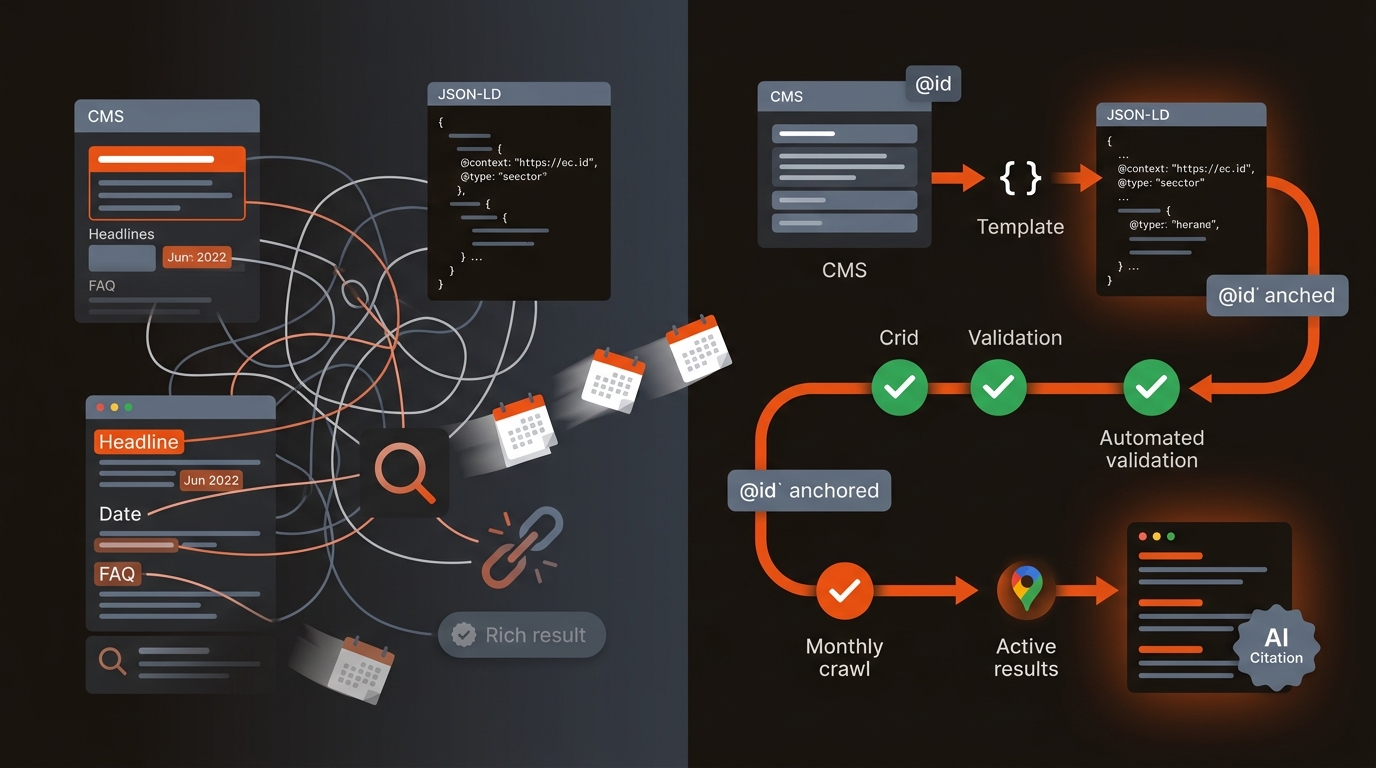
Across 120 B2B pages, shipping Organization + WebSite + Breadcrumb + Article JSON-LD increased rich result impressions by 22% in 6 weeks (GSC Enhancements, weekly aggregation). Validation errors dropped from 19% to 3% after adding required author/date fields.
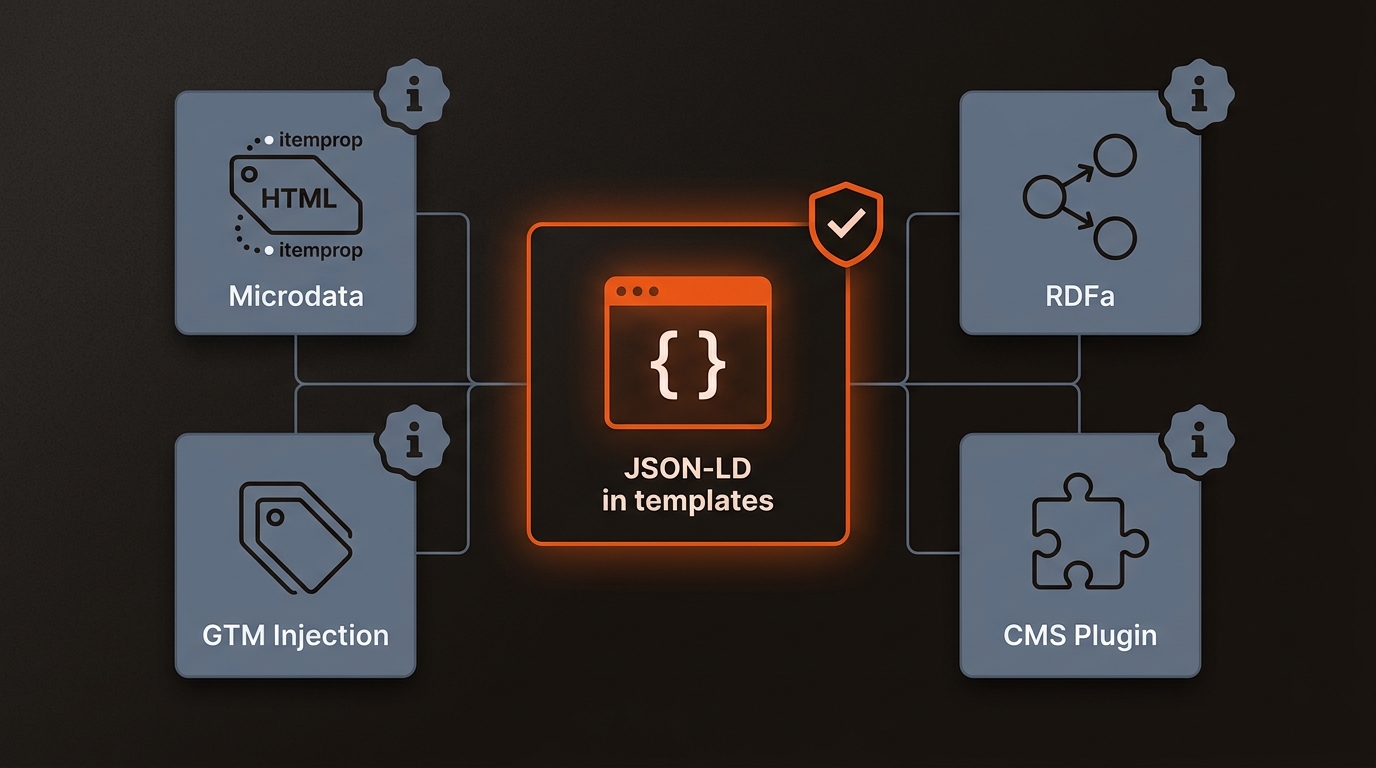
Pick JSON-LD with templates for control; use plugins only when you can audit the output. Time-to-ship matters, but QA and conflict-avoidance decide rankings and AI citations at scale.
caption
For deeper context, see What Is Structured Data In SEO.
Map schema to page types, validate, then automate publication and QA. Do the thinking once, then let your templates do the work.
• Identify page types and target schemas: Site-wide (Organization, WebSite), navigational (BreadcrumbList), informational (Article, BlogPosting), transactional (Product, Offer, Review), support (FAQPage, HowTo).
• For each template, list required and recommended properties from schema.org and Google’s developer docs. Add @id, URL, author, datePublished, and mainEntityOfPage to avoid conflicts and help AI parsers.
• Add JSON-LD to HTML layouts: head is fine; body also works. Many teams use a CMS partial or component. If you must add JSON-LD to HTML one-off, document it and queue a template task.
• Validate before ship with Google Rich Results Test and Schema.org Validator. Crawl after deploy with Screaming Frog (Custom Extraction for script[type="application/ld+JSON"]) to catch missing fields at scale.
• Monitor in GSC: Enhancements (Article/Product/FAQ), Search Appearance, and URL Inspection API spot checks. Track AI citations in ChatGPT and Perplexity to see if your entities get cited.
If you need the exact phrase, you can also search “add JSON-LD to HTML” to follow Google’s recommended approach. It is faster to template and safer for long-term maintenance.
Mergeflo ships validated schema with every page it publishes. Our autonomous SEO + AEO content engine outputs AI-citable pages in your CMS with Organization, WebSite, Breadcrumb, and page-type JSON-LD pre-filled, validated, and refreshed. It also tracks citation share across ChatGPT, Perplexity, and Gemini, then pushes fixes automatically: startup-priced so a 2-5 person team can run it.
You can avoid 80% of schema issues by standardizing JSON-LD, adding @id, and validating at scale. The remaining 20% is monitoring and refresh.
JSON-LD. Google recommends JSON-LD, and it’s easier to template, test, and maintain. Microdata ties markup to HTML structure and breaks during refactors. If you inherit Microdata, migrate gradually by adding equivalent JSON-LD, validating both, then removing Microdata once parity is confirmed.
Define a single source of truth per template and add @id and URL on every entity. Avoid stacking multiple plugins that emit overlapping Article or Product markup. Use Screaming Frog to extract JSON-LD and flag pages with more than one of the same type unless intentional (e.g., multiple Product variants).
Run a Screaming Frog crawl with Custom Extraction for script[type="application/ld+JSON"], then export to check required fields programmatically. Spot-check 20 URLs in Google Rich Results Test and fix template-level gaps. Use GSC Enhancements to confirm errors decline week over week and that rich result impressions are rising.
Start with Organization, WebSite, and BreadcrumbList site-wide, then Article or BlogPosting per post. If you publish Q&A, use FAQPage (ensure the content matches on page). For product-led content, add Product with offers where relevant. We’ve seen Article + Breadcrumb account for the majority of rich result appearances on SAAS blogs.
