
Short answer: The best website builder for SAAS is Webflow for most small growth teams that need speed, clean CMS, and full SEO/AEO control without engineers. If you plan heavy programmatic SEO or custom components at scale, choose Next.js + a headless CMS on Vercel. WordPress, Framer, and HubSpot CMS fit narrower constraints.
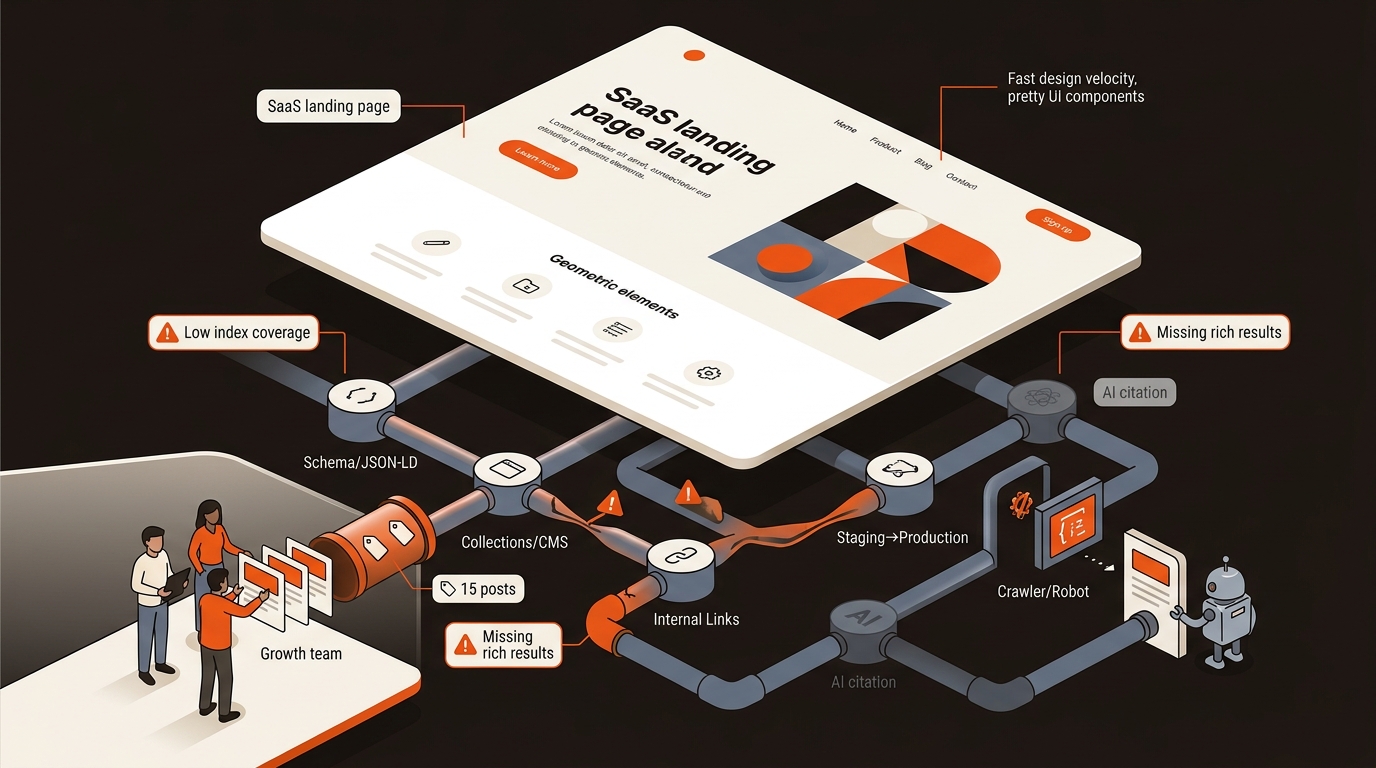
Pick a builder by shipping speed, CMS depth, SEO/AEO control, and Core Web Vitals — not by templates.
caption
For deeper context, see How To Add Custom CSS Code In Webflow.
Decide with a one-week pilot: ship five pages, wire analytics, and measure real constraints. You do not need a months-long RFP.
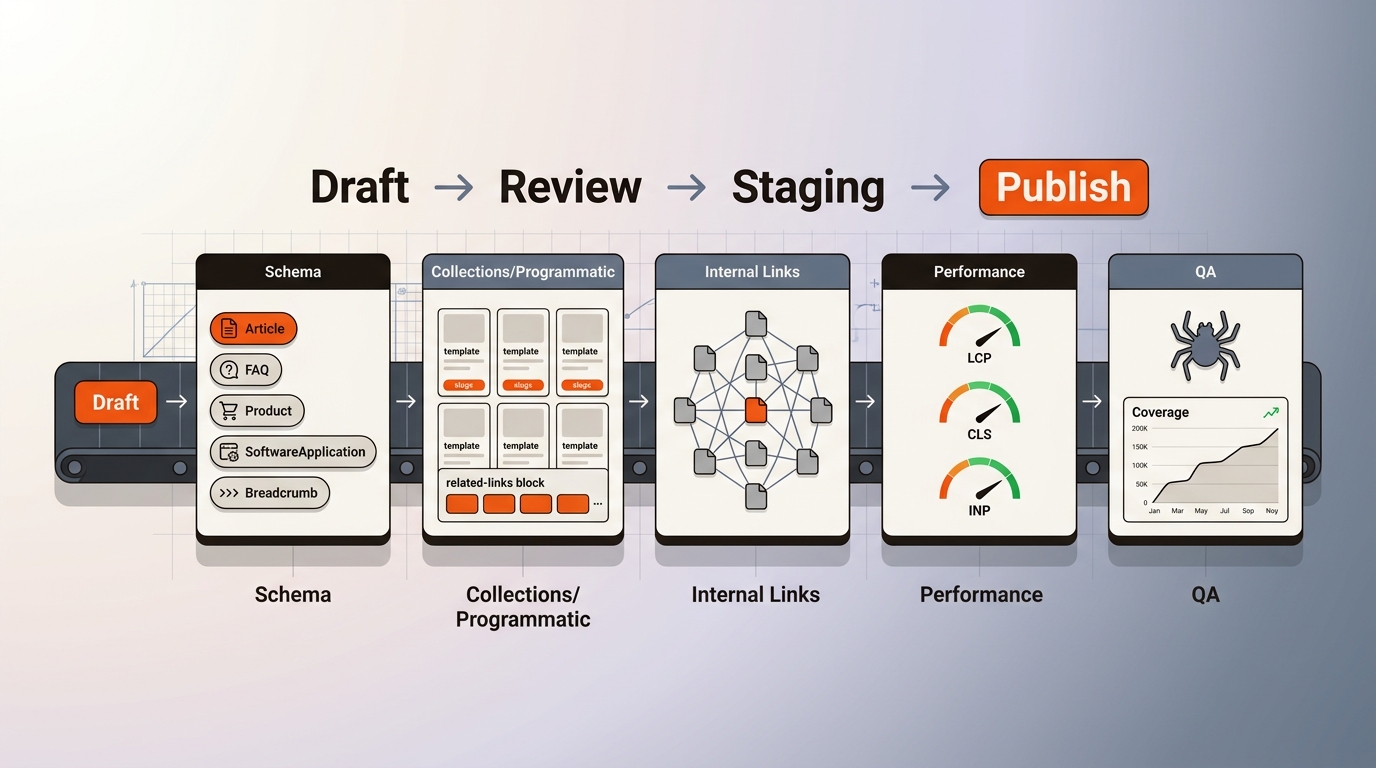
• Day 1-2: Model 3 collections (Blog, Use Cases, Docs). Validate slugs, 301s, canonicals, sitemap. Confirm editorial roles and scheduling.
• Day 3-4: Implement JSON-LD (Article, FAQPage, Product), inject at template-level, verify in Rich Results Test. Add Related Posts block for internal links.
• Day 5: Publish five pages. Measure LCP and CLS in PageSpeed Insights. Crawl in Screaming Frog: check indexables, canonicals, and href consistency. Submit sitemaps in GSC and monitor Coverage.
If any step requires custom engineering every time, you will miss your publishing target. That cost compounds. The tradeoff: Next.js gives unlimited control but adds a maintenance queue; Webflow caps ultra-custom blocks but lets non-devs ship daily.
Mergeflo drafts articles for your review and publishes the ones you approve to Webflow, the only builder it publishes to. Our AI search visibility platform has a free plan, and paid plans are listed on the pricing page. We provide an autonomous SEO + AEO content engine that finds gaps, drafts articles with FAQ schema and suggested internal links, and publishes the ones you approve to Webflow. We track citation share across ChatGPT, Perplexity, Gemini, and fix gaps directly in your CMS.
Webflow gives precise control over slugs, folders, 301s, canonicals, meta, and sitemaps, and allows JSON-LD injection at the template level. Keep animations minimal to protect CLS.
Choose Next.js when you need programmatic SEO at scale (hundreds of dynamic pages), custom content blocks, or multi-region sites with localization logic. You gain typed schemas, atomic releases, and perfect control. The tradeoff is a dev-maintained pipeline; expect a 2-4 week initial sprint and a weekly engineering allocation for changes.
Yes, if you can ship answer-focused sections, valid schema (FAQPage, Article, Product), fast pages, and consistent internal links. Builders do not create citations; compliant content and structure do. Ensure your CMS supports template-level JSON-LD, avoids duplicate titles, and keeps LCP under 2.5s. Tools: GSC, Rich Results Test, PageSpeed Insights.
Map URLs 1:1, implement 301s, preserve canonicals, replicate metadata, and port schema. Rebuild internal links and resubmit sitemaps. Crawl before/after with Screaming Frog to confirm parity. Expect a 2-4 week stabilization window; maintain server responses and keep old assets live during DNS cutover to avoid soft 404s.
Pick Webflow if you need the best website builder for SAAS and plan to publish weekly; pick Next.js if programmatic pages define your roadmap. Framer is fine for lightweight brand sites, HubSpot CMS when CRM-driven workflows lead, and WordPress if you already run it with discipline. Make the call this week: run the five-page pilot and measure what breaks.
