
Short answer: There isn’t a single “best AI” for startups; the right answer is a stack matched to jobs. For a 3-person growth team, start with Perplexity for research, Claude for reasoning and writing, and GitHub Copilot for code; add an AI-ready CRM as pipeline matures. Prioritize integrations, context limits, governance, and predictable cost.
Pick AI by job-to-be-done. Most teams trial three chatbots, burn a month, and still write briefs by hand. Research, writing, coding, knowledge, and revenue ops have different winners and different upgrade triggers. Asking which AI is best for startups without job-mapping leads to stalls.
You also need cost control. Pro tiers look cheap alone but compound. At $20-30 per seat for research and writing and $10-19 for Copilot, a 5-seat team hits $150-250 per month quickly. Add a CRM when pipeline needs structure.
GitHub found developers completed a coding task 55% faster in a controlled study with Copilot enabled. Faster code shipping compounds across sprints. GitHub research
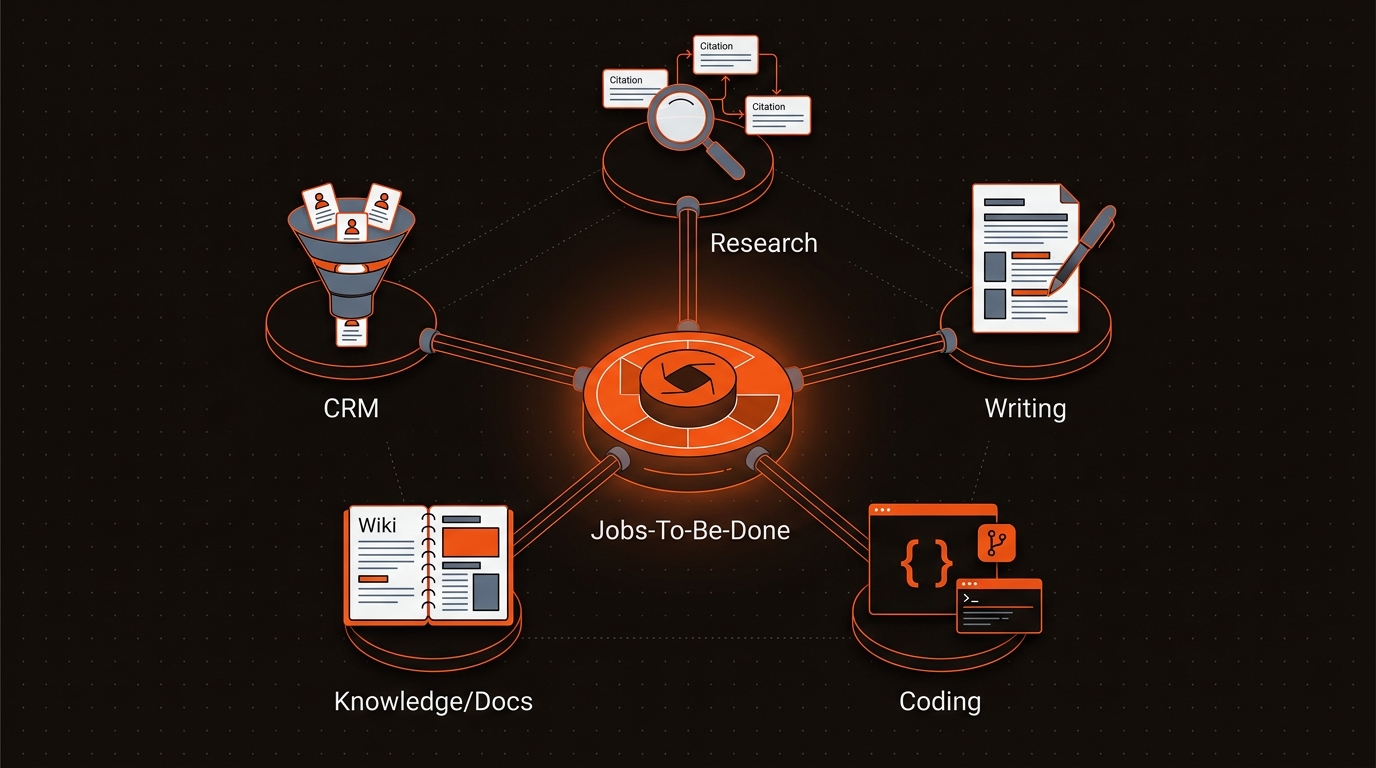
Use a focused tool per job, then connect them. Start lean with three tools that increase build and publish velocity, then layer revenue systems as volume and handoffs grow.
Use-Case Based AI Stack for Startups
Use Notion AI if your team already lives in it; otherwise keep knowledge where work happens. Add the CRM when lead flow and handoffs create drop-off risk; until then, track deals in a pipeline board to avoid suite overhead.
Two helpful sources for pricing and capabilities: Salesforce’s small business AI overview lists starter suite options, and the GitHub Copilot docs cover editor support and rollout guidance. Salesforce small business AI overview and GitHub Copilot docs
Scenario: A 3-person growth team with 25 posts per month uses Perplexity to source 20 cited references in 30 minutes, Claude to draft briefs and outlines with a 200K-token context, and Copilot to build schema and minor app code. Net: 6-8 hours saved weekly, which funds 2 extra briefs that actually publish.
Operational tradeoff: Point tools win speed and cost now; suites reduce integration friction later. Suites demand admin time, SSO, and data modeling. If your team ships weekly, the cost of suite setup can outweigh benefits for the first 60-90 days.
Start with per-job SLOs, then pick components that meet them. For support deflection, hold a 700 ms p95 budget. Route intent with a tiny classifier in under 50 ms, retrieve 5 snippets from a scoped index filtered by product and version, then generate with a mid-tier model with 16k context capped at 120 tokens. At 1,200 input and 150 output tokens per turn, with input at $0.50 per million and output at $1.50 per million, a turn is about $0.0012. Cache the top 200 answers by intent and version to lift 30 percent hits and cut blended cost. Log token, latency, and source per turn.
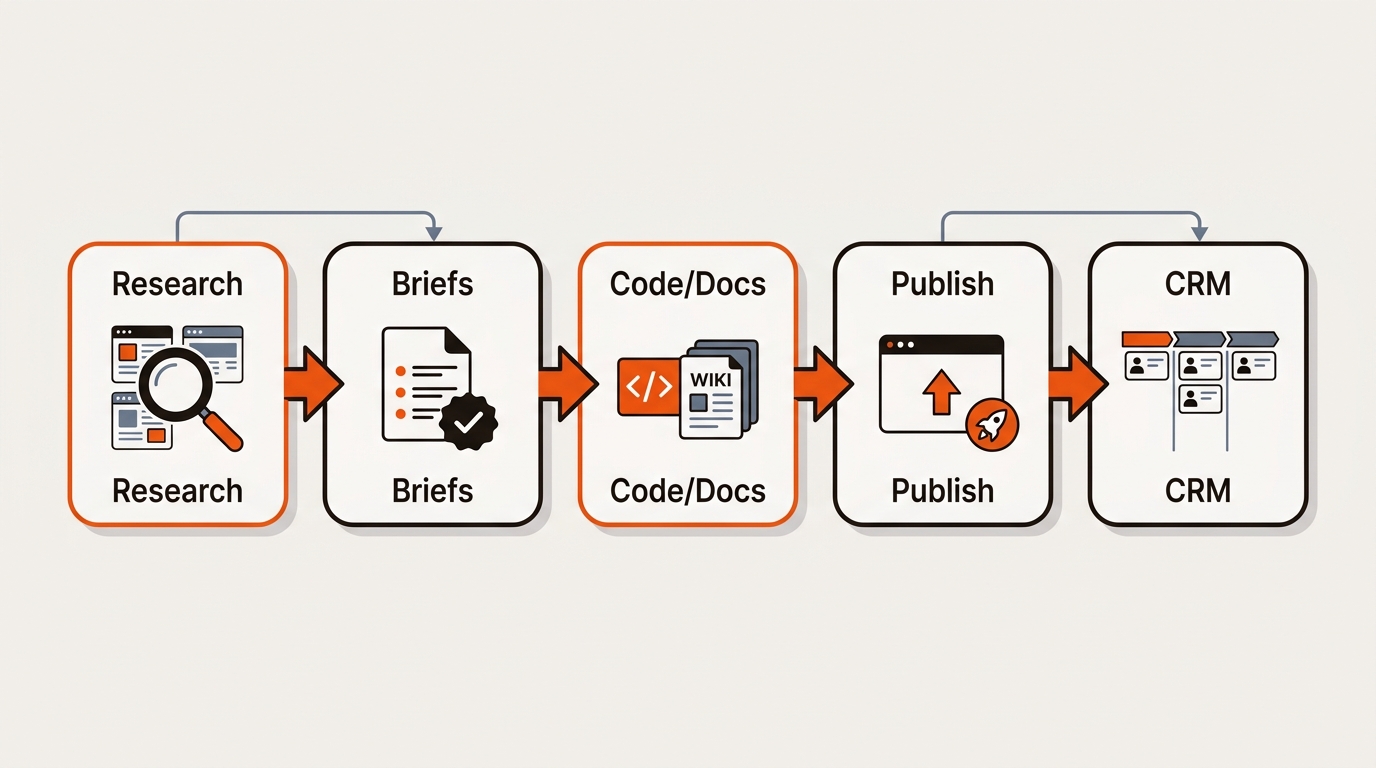
AI usage without AI visibility leaves money on the table. Research and write faster, then make sure Google and AI engines can cite you. Mergeflo is an AI search visibility platform for startups that measures and fixes visibility across Google and AI engines (AI Overviews, ChatGPT, Perplexity, Gemini, Copilot). Its autonomous SEO + AEO content engine takes research to published, AI-citable pages in your CMS with schema, internal links, and ongoing refresh — startup-priced. See how a lean team runs an AI search visibility platform for lean teams in practice.
Turn choices into surface area AI can quote. Publish stable, canonical pages that answer the exact questions buyers ask, each with a 2 to 3 sentence summary and a copy-ready code or step block. Mark them up with JSON-LD using Product, HowTo, and FAQ where applicable. Keep URLs versioned and lastmod in your XML sitemaps. Ship an OpenAPI 3 spec and examples so assistants can introspect your endpoints. Seed 50 high-intent questions, run them weekly across major assistants, and record attribution. When a result misses your page, add a concise answer block and a citation-friendly table, then retest.
Answer the decisions operators actually face.
Claude handles longer contexts well and stays coherent over multi-section inputs. Use it to digest research packs, synthesize transcripts, and draft policy-heavy docs. For very long corpora, chunk inputs and keep citations attached to each chunk to avoid hallucinated joins.
Use point tools first to win speed where it matters this week: research, writing, coding. Move to a suite when pipeline complexity with multiple reps, SLAs, or audits demands shared data models and governance. Consider admin overhead, SSO, and export paths before committing.
Upgrade when you hit context limits, rate limits, or compliance needs. Signals: truncation in briefs, timeouts during research spikes, or the need for workspace controls. Pro tiers typically pay back if they replace one manual research hour per user per week within a month.
Keep sensitive customer data in your CRM and data warehouse; restrict LLMs to non-sensitive prompts unless enterprise controls are enabled. Use vendor settings to disable training on your prompts where available. Maintain a red or amber or green prompt policy for your team so anyone can decide what’s safe quickly.
