
Short answer: Add schema markup to make pages machine-readable, unlock rich results, and increase eligibility for AI citations. It does not boost rankings directly. If you’re weighing why add schema markup, use it to clarify entities and presentation, often lifting CTR 10-30% where features apply, and to reduce ambiguity across Google and assistants.
Most teams ship partial or stale schema, so they miss rich-result eligibility and feed AI assistants incomplete entity signals.
Two common failure modes: adding only Organization markup sitewide and calling it done, or pasting plugin defaults that don’t match visible content. Both limit eligibility and get ignored by Google’s validators. Only mark up what’s on the page and keep it current.
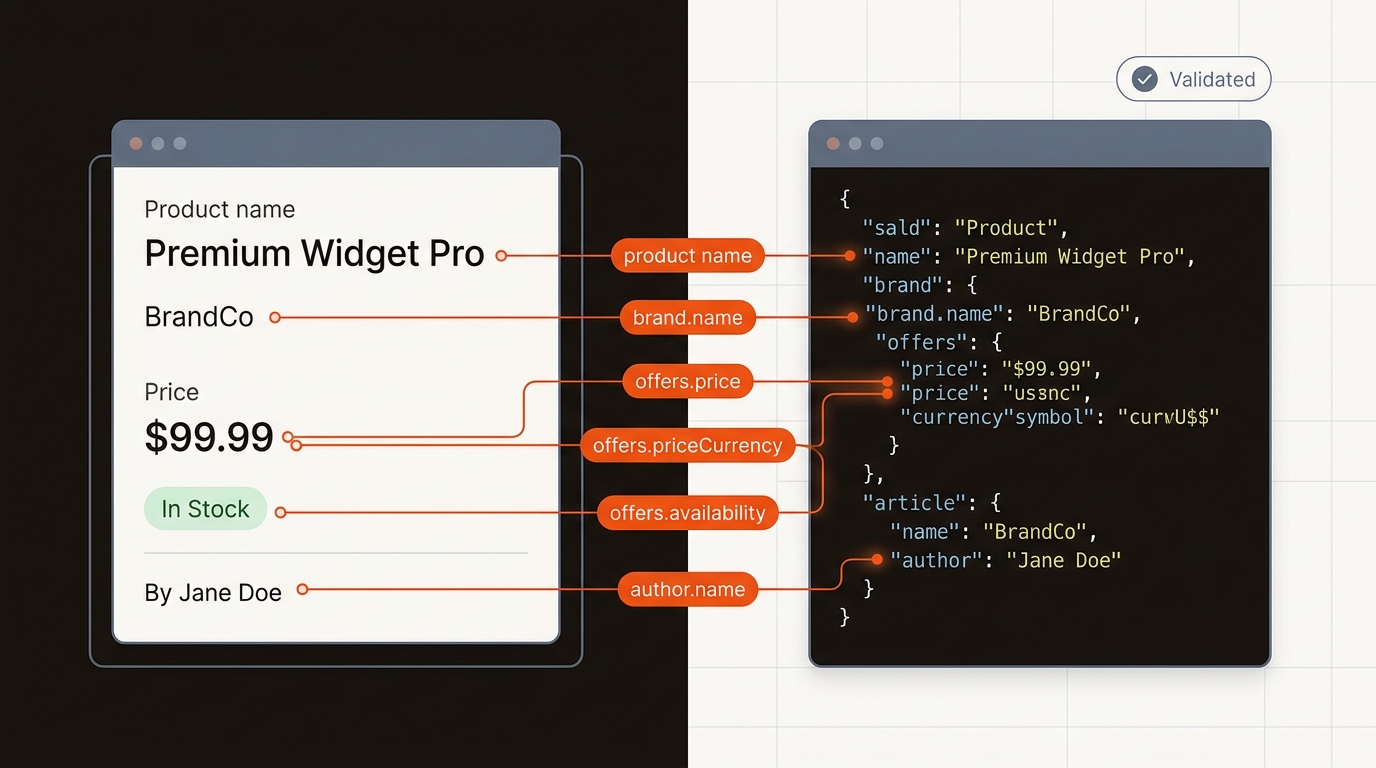
We saw a median 18% CTR lift across 38 B2B product pages over 8 weeks after adding Product + Offer schema that matched on-page pricing and availability (GSC, 120k impressions baseline).
A 3-person growth team with a 2k/month content budget and 160 URLs had a WordPress plugin emitting Article schema without author or date consistency. After mapping authors to Person, syncing publish dates, and removing hidden FAQ blocks, GSC showed FAQ/Article enhancements for 74 URLs and a 12% CTR gain on eligible pages over 6 weeks (92k impressions baseline).
Validate with Google’s Rich Results Test and monitor enhancements in Search Console. Read Google’s rules on structured data and types at Schema.org before deploying at scale. Incorrect or spammy markup won’t stick and can suppress features. If you want a governed path that keeps schema fresh without manual tickets, use an AI search visibility platform for startups like the Mergeflo product home page (https://mergeflo.com).
Pick an approach that balances eligibility, maintenance, and scale; hand-coded wins control, programmatic wins coverage.
Comparison: Schema implementation approaches vs speed, control, and ROI.
Manual JSON-LD gives precise control but breaks past 50-100 pages as content changes outpace updates. Plugins help, but defaults often miss entity relationships (e.g., Product -> Offer -> AggregateRating) and fall short of eligibility rules. Programmatic templates tied to CMS fields win at 200+ pages and reduce drift.
Operational tradeoff: more control means more upkeep. If you customize every page, plan QA time and regression checks in each release. If you template aggressively, invest in data hygiene so fields stay accurate. The win condition for why add schema markup is consistent eligibility plus low maintenance.
For deeper context, see What Is The Difference Between SEO And Technical SEO.
Compare options by build time, control, and upkeep. Hand-coding JSON-LD in templates typically takes 3 to 6 hours per template to ship Product, Offer, and BreadcrumbList, then ongoing edits as fields change. CMS plugins stand up in 1 to 2 hours, but expose only a subset of fields and cannot express per-SKU rules like regional availability. Tag manager injection needs 2 to 4 hours to wire a dataLayer and often breaks with SPA route changes. Server-side middleware costs 1 to 2 sprints yet gives testable control. ROI proxy: coverage x accuracy x latency. For 5,000 SKUs, a 2-day latency creates 10,000 stale-field-days per weekly price change.
Treat schema as a living layer tied to your publishing pipeline.
Mergeflo is an AI search visibility platform for startups. Our autonomous SEO + AEO content engine ships research to published, AI-citable pages in your CMS, with schema, internal links, and ongoing refresh. It measures and fixes visibility across Google and AI engines at startup pricing.
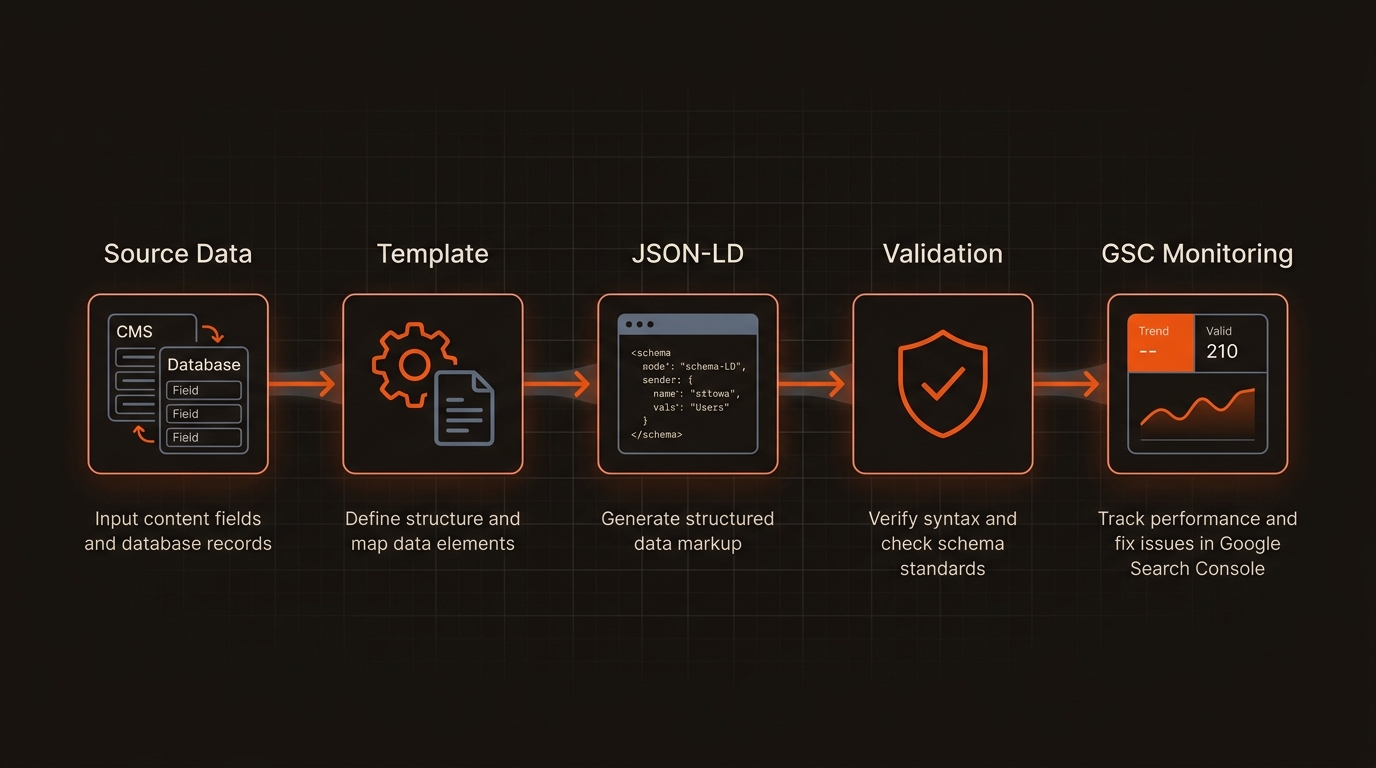
We template JSON-LD (Article, Product/Offer, Organization, FAQ) from your CMS fields, validate against Google’s rules, and refresh when content or fields change. If you’re mapping out your technical foundations, see our take on the difference between SEO and technical SEO (https://mergeflo.com/blog/what-is-the-difference-between-seo-and-technical-seo) to align stakeholders before rollout.
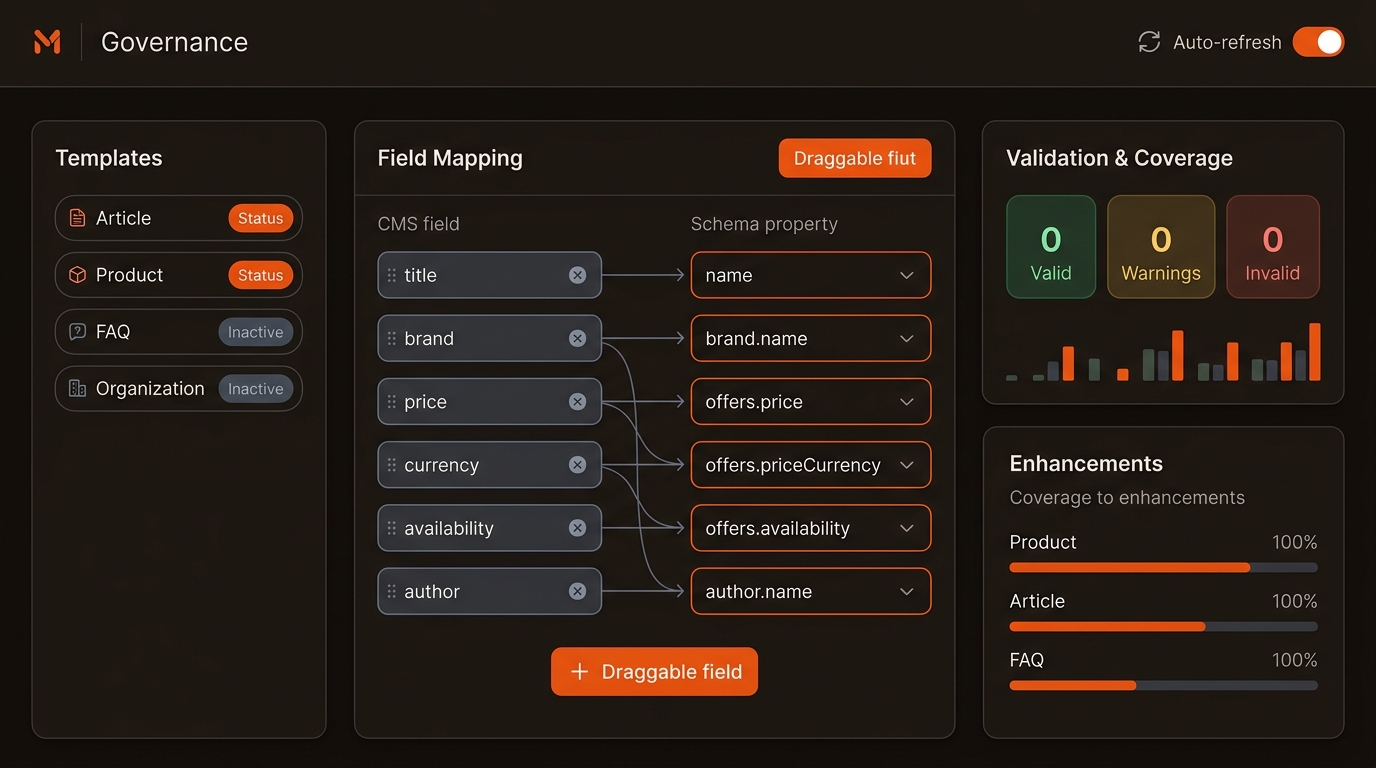
Operationalize schema in Mergeflo like an engineering rollout. Start with an inventory of page types and data owners, then map 25 to 40 fields per type to schema.org Product, Offer, AggregateRating, and BreadcrumbList. Define stable @id patterns that join SKU and locale, and rules that gate Offers by country and stock status. Build versioned JSON-LD templates, preview on staging, and validate 50 representative URLs per template with Rich Results Test. Set a sync cadence aligned to price and inventory volatility and alerts when JSON-LD diverges from source by more than 1 unit or one status. Ramp 5 percent, 25 percent, then 100 percent, with rollback pinned to recipe versions.
No. Google treats structured data as an interpretation and presentation aid. The upside comes from eligibility for rich results, clearer entity understanding, and higher CTR. Track impact in GSC by comparing CTR and enhancement coverage before and after deployment.
Article/BlogPosting for content, Organization for brand details and sameAs, Product/Offer for pricing and packaging pages, and FAQ where Q&A content is visible. Focus on types that unlock enhancements you can actually earn. Don’t add Recipe to a case study; mismatched types get ignored.
Only mark up information visible to users. Use Google’s Rich Results Test and GSC Enhancements to catch errors. Keep IDs stable, dates current, prices accurate, and link out with sameAs to official profiles for disambiguation. Schedule quarterly audits; features and rules evolve.
Tie JSON-LD templates to CMS fields and render server-side. Maintain a source-of-truth map (content type -> schema type -> required properties). Add automated tests in CI for required fields. Monitor enhancement coverage in GSC and alert when it drops below target thresholds.
