
Short answer: To know if your website has schema markup, check a URL in Google’s Rich Results Test and Schema.org’s validator, then confirm sitewide coverage in Google Search Console’s Enhancements reports. You can also view-source and search for "schema.org", or run a crawl in Screaming Frog/Sitebulb to audit JSON-LD at scale.

AI SEO platform for startups
Validate a single URL, then measure coverage and errors across the whole site.
• Run a spot check: Use Google’s Rich Results Test for supported features and the Schema.org validator for standards conformance. These catch different issues.
• Confirm indexing reality: GSC Enhancements shows what Google recognizes at scale, not just what you output.
• Audit sitewide: Screaming Frog or Sitebulb crawls hundreds of URLs and flags missing/invalid properties across templates.
Operational tradeoff: manual checks are cheap but stop scaling as the site grows; crawlers cost time to configure but surface template-level defects that can block rich results across the site.
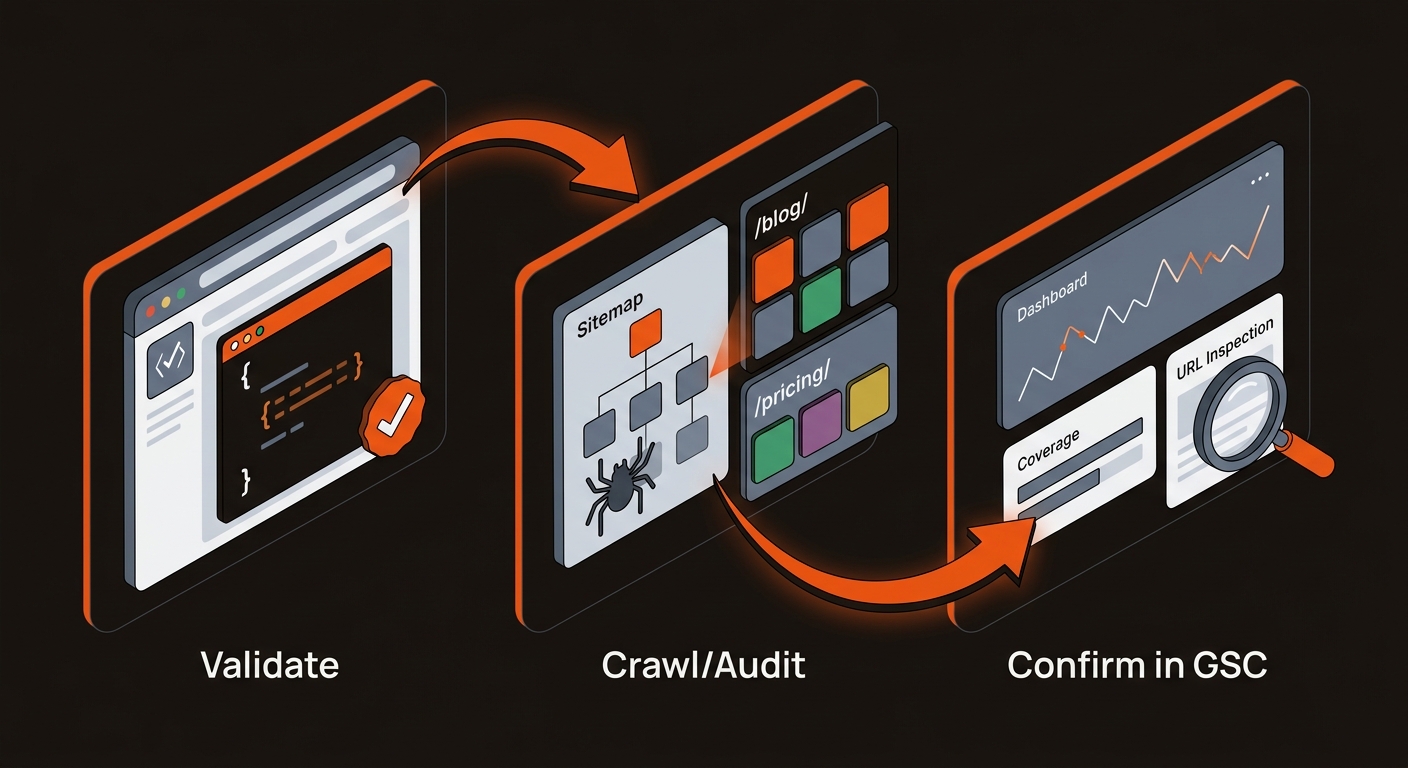
Use single-URL tools to spot issues, and crawlers to fix template-level defects that can block rich results.
caption
Ship a short workflow that surfaces errors and quantifies impact.
• Pick 20 high-traffic URLs from Ahrefs or GSC. Test 5 in Google’s Rich Results Test and Schema.org validator; note missing properties.
• Crawl 300–500 URLs in Screaming Frog with Structured Data validation enabled; export errors by template.
• Fix one template end-to-end. Re-crawl, then watch GSC Enhancements for coverage gains over the following weeks.
Mergeflo adds FAQ schema to the articles you approve when you publish them to Webflow.
Our autonomous SEO + AEO content engine finds gaps, drafts articles with FAQ schema and suggested internal links, and publishes the ones you approve to Webflow. Article, Product, Organization and breadcrumb schema come from your own Webflow template. On paid plans, a weekly scan checks whether ChatGPT, Gemini and Claude mention your brand; it does not check Perplexity. Free to start, with paid plans from $329 a month. If you want the primer on types and use cases, see What Is Schema Markup.
Tactical questions founders ask once they run the first checks.
Google’s test confirms eligibility for supported rich results, which is what affects CTR. Pair it with the Schema.org validator to catch standards issues Google might tolerate or ignore. For sitewide reality, rely on GSC Enhancements because it reflects what Google actually detected at scale.
Prioritize templates that map to SERP features and buyer journeys: Article for blogs, FAQPage for support/how-to, Product for pricing/catalog, Organization and BreadcrumbList sitewide. Content-thin or no-index pages don’t need it. Aim for full coverage on revenue-relevant templates before expanding.
Schema rarely moves core rankings directly. It can make a page eligible for rich results, which Google does not guarantee, and a rich result can change CTR where it appears.
Plugins often inject incomplete or conflicting JSON-LD. If required properties are missing, or multiple apps output overlapping types, Google may ignore it. Also, JS-injected schema can fail rendering for some bots. Validate a sample, de-duplicate to one source of truth per template, and recheck GSC after a fresh crawl.
Answer the question with evidence, then operationalize it into your publishing pipeline.
If you asked “How do I know if my website has schema markup?”, the reliable path is: validate a URL, confirm eligibility, and audit sitewide. Bake JSON-LD into templates. Monitor GSC Enhancements weekly alongside rankings and CTR. If you publish often, this is how you keep the markup valid as templates change.
Strong opinion: stop spot-fixing. Treat schema as a template-level contract tied to your content types. That keeps your markup consistent as templates change.
