
Short answer: Schema markup is structured data, written with the Schema.org vocabulary and usually as JSON-LD, that labels the things on a page and how they relate. Google uses it to understand the page, and for supported types it can show a rich result. Correct markup makes a page eligible; it does not guarantee that a rich result will appear.
This is our main guide to schema markup: what it is, how to choose an implementation path, and how to validate and monitor it. Every other guide we have on schema and structured data, from copyable examples to step-by-step how-tos, is listed by task in the section “All our guides on schema markup” near the end of this page.
Teams ship schema once and move on; eligibility decays when properties drift from the page and no one monitors errors. If you are asking what is schema markup because rich results keep dropping, you likely copied generic JSON-LD, mapped the wrong properties, or never wired eligibility checks into your publishing flow.
A common scenario: a small team pastes Article JSON-LD from a generator, then changes titles and authors in the CMS without updating the markup.
Google says correct markup makes a page eligible for rich results but does not guarantee them. Markup that breaks its structured data guidelines can lead to a manual action that removes rich result eligibility; Google says that action does not change how the page ranks.
Use the Google Rich Results Test to check feature eligibility and the Schema Markup Validator to confirm vocabulary correctness before shipping.
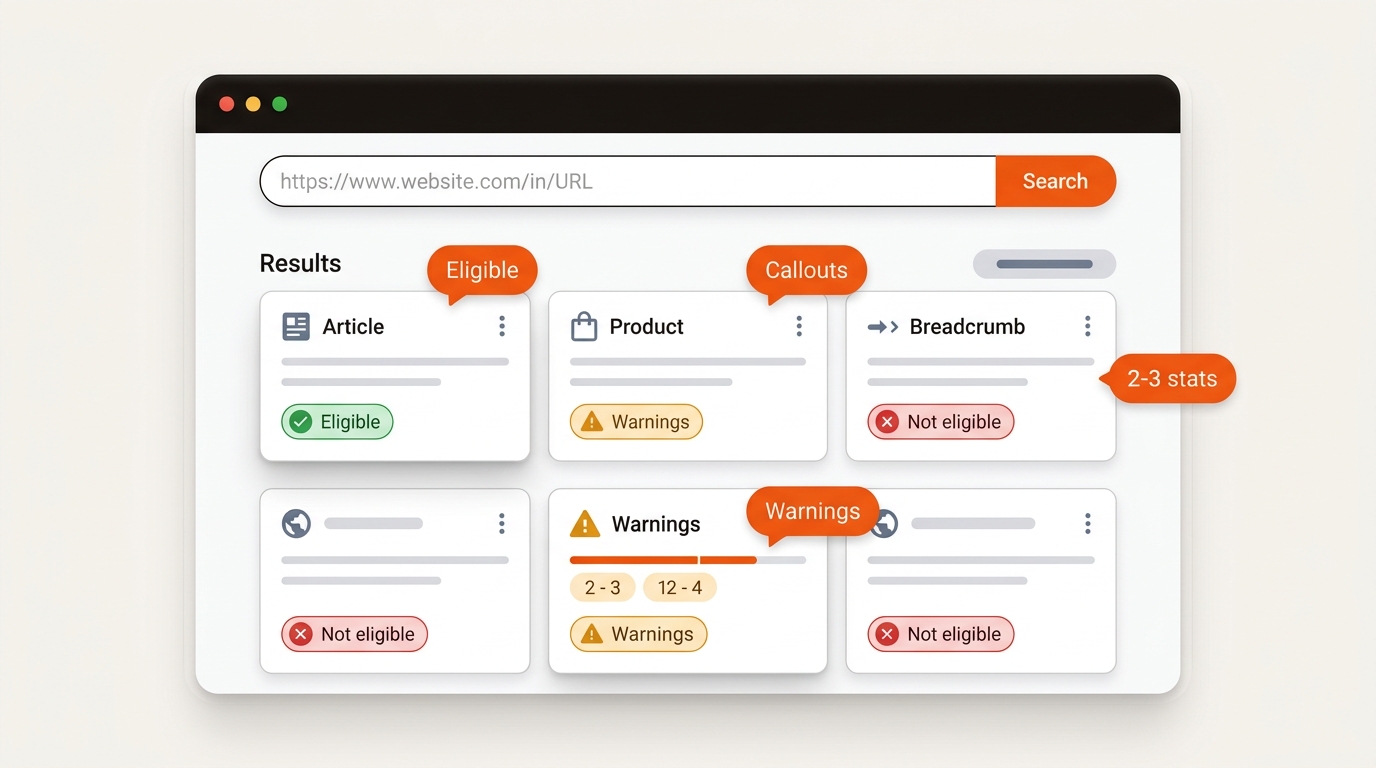
Misalignment often starts when markup is authored once per template, then product data shifts faster than deploys. Example: a product page changes its price and availability, but the Offer in the JSON-LD still shows the old values. Ratings move as new reviews arrive, yet aggregateRating lags. Opening hours change, but openingHoursSpecification does not. Without validation gates, required properties go missing, or @id values change between renders. Fix it by wiring properties to the same CMS fields the page displays, validating before release, and checking a sample of live pages on a schedule.
Pick a path for scale, control, and monitoring. Getting JSON-LD on the page once is not enough. Hand-written snippets are fine for a handful of priority pages. Across dozens or hundreds of pages, content updates, CMS changes and policy changes break eligibility unless schema is modeled, templated and validated as part of publishing.
Comparison of schema implementation approaches for startup teams
A workable middle ground for many SaaS sites: componentize Article, Product/Offer, and BreadcrumbList in your design system, populate from CMS fields, and fail builds on schema errors. Check the rich result reports in Search Console every week, and use a crawler like Screaming Frog to confirm the JSON-LD is present.
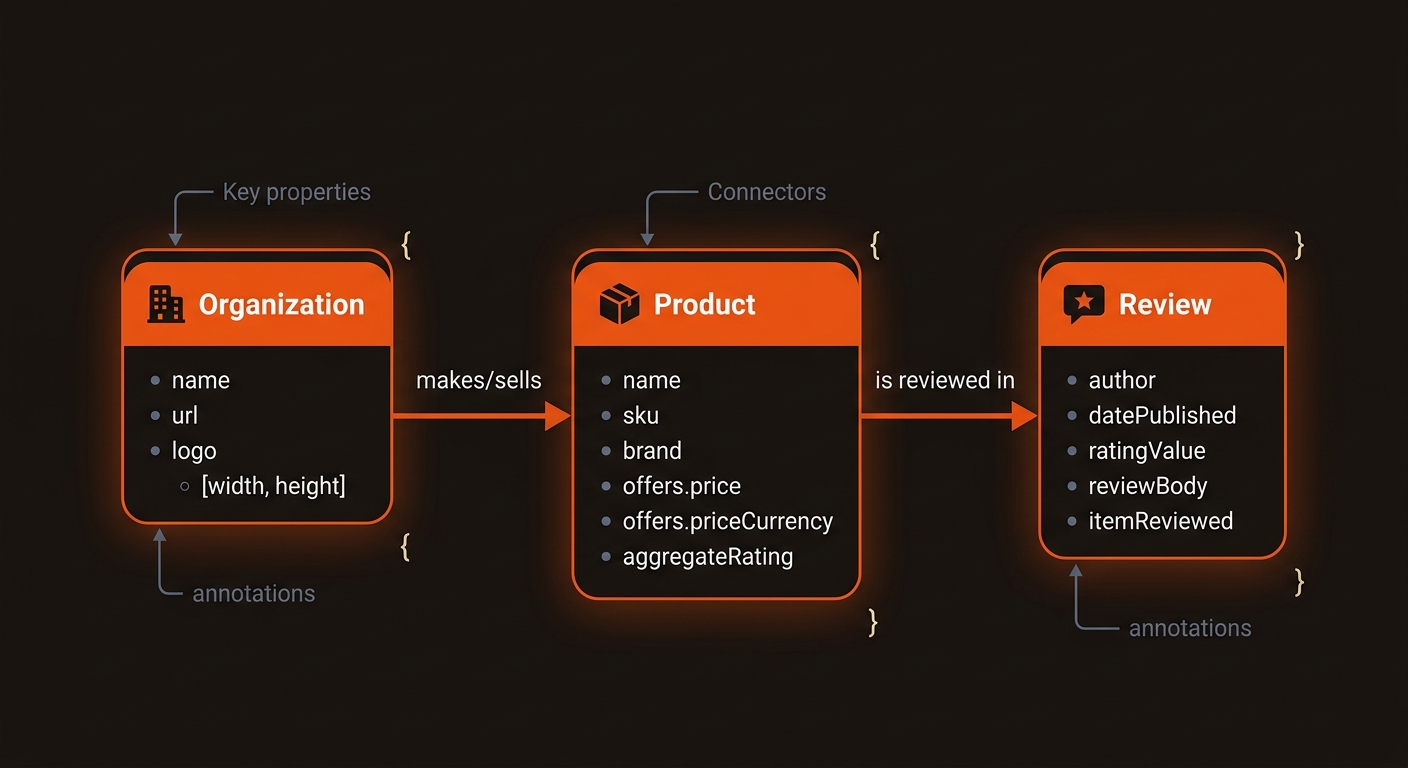
Decide how markup is generated and owned. CMS plugins are fast to ship but limited when you need Product plus ItemList plus Breadcrumb on the same page. Tag managers let marketing move faster but increase flicker risk and make deduping hard. Server-side templates give control and speed but require engineering time for every change. A pragmatic path: pilot on a few templates, measure the payload the markup adds to each page, keep it lean, and release changes on a regular schedule. Establish a single source of truth for ids and URLs, and block deploys if duplicate types or missing required properties are detected.
Use JSON-LD unless your CMS gives you no other option. All three formats can describe the same Schema.org types, and Google supports all three while recommending JSON-LD. JSON-LD sits in one script block, so a design change to the page does not touch it. Microdata and RDFa are attributes spread through the HTML, so editing a template can silently drop a property.
Mark up what the page already shows, starting with the templates that carry the most pages. Roll out one template at a time, so you can see the effect of each in Search Console.
Skip JobPosting, Event or Dataset unless you actually publish job ads, events or datasets. Do not add properties the page does not show: Google's structured data guidelines ask that markup describe the visible content.
Valid markup makes a page eligible; it does not make a rich result appear. When one never shows, check these causes in order:
Fix the cause, re-run the Rich Results Test on the live URL, then request indexing in Search Console so Google fetches the page again.
Change one template at a time and compare like with like. Note the release date, then compare clicks, impressions and click-through rate in the Search Console Performance report for the pages on that template, over the same number of days before and after. Use the Search appearance filter for the rich result type where Search Console offers one. Avoid other changes to those pages, such as new titles or internal links, during the window, or you will not know which change moved the numbers. The rich result reports under Enhancements show how many pages are valid, have warnings, or have errors.
Schema should live in your publishing pipeline: mapped to entities, versioned, validated pre-publish, and refreshed when policies shift. Where Mergeflo fits: it finds search gaps, drafts articles for your review, adds FAQ schema (FAQPage JSON-LD) to the articles it publishes, and publishes the ones you approve to Webflow.
Mergeflo does not manage the rest of your site's markup. Article and breadcrumb schema come from your own Webflow template, so model your Organization, product and article entities there, validate before publishing, and watch the rich result reports in Search Console. Google feature changes matter too: Google stopped showing HowTo rich results in September 2023 and, according to its Search Central changelog, stopped showing FAQ rich results from May 7, 2026. Keep FAQ answers useful as plain text on the page. If you want hands-on steps for smaller sites, use our playbook on how to generate schema markup and evolve it into components as volume grows.
In short: ship structured data that matches the page, validate every release, and check eligibility every week.
This page covers the basics: what schema is, which format and types to use, what stops rich results, and how to measure the effect. Each guide below covers one task in more depth.
Direct answers that unblock shipping and eligibility while protecting CTR.
Google describes structured data as a way to understand a page and to enable rich results, and it does not guarantee that a rich result will show. Where one does appear, it can change how many people click, so compare clicks and impressions in Search Console Performance before and after.
Start with Organization (logo, sameAs), BreadcrumbList, and Article or BlogPosting on posts. Add Product or SoftwareApplication with an Offer only where the page shows the plan and its price, and VideoObject for demo videos. Mark up only what is visible on the page and what you can keep accurate. FAQPage markup no longer produces a rich result in Google Search.
Bake validation into CI/CD. Run Schema Markup Validator for syntax and vocabulary, the Rich Results Test for feature eligibility, and fail builds on critical errors. Post-publish, watch GSC Enhancements coverage, alert on week-over-week drops in eligible items or rich result impressions, and crawl templates monthly to confirm JSON-LD is present.
Not as a requirement. Google says there is no special schema.org markup to add for AI Overviews or AI Mode. Accurate Organization, Product and Person markup still describes your entities clearly, but it does not guarantee a citation.
Content drift (schema properties no longer match the page copy), CMS changes that strip or reorder JSON-LD, and Google feature changes: HowTo rich results were removed in 2023 and FAQ rich results in May 2026. Duplicated @id values across templates also make entities ambiguous. Version your templates, track eligibility trends, and refresh mappings quarterly or when features change.
