
A Webflow CMS SEO checklist standardizes the exact fields, rules, and char limits your blog template needs to rank at scale. You want every post to ship with the right title tag, slug, canonical, and Open Graph metadata without hand-tuning. Lock these into your Collection Template once so each publish follows the same ranking blueprint.
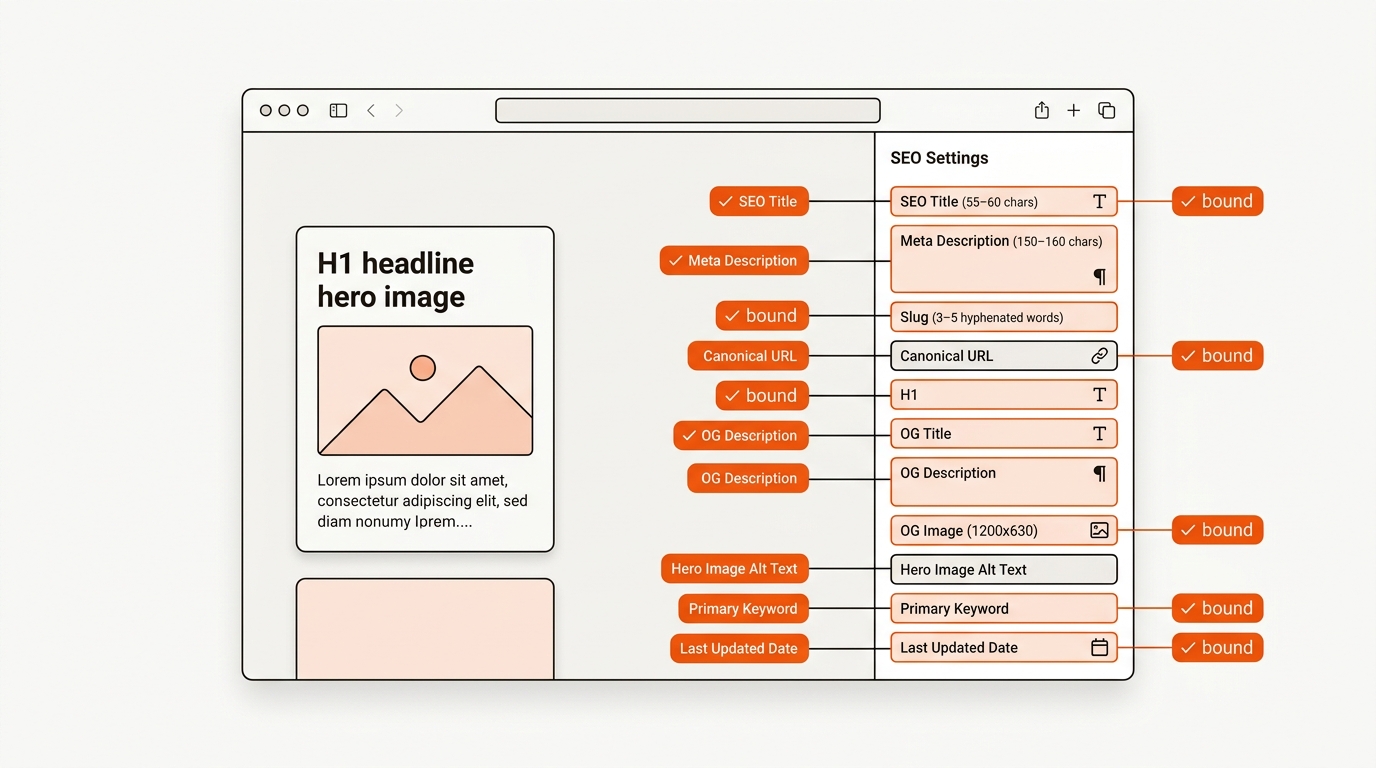
Add a Canonical URL field and bind it in SEO Settings so every post consolidates signals to the primary URL. Configure OG defaults at the Template level, then bind per-item overrides for title, description, and image.
Define your slug pattern using the Primary Keyword: lowercase, hyphens, 3, 5 words, no dates or stop words. Enforce with editorial policy and a final pass in Webflow before publish.
The Template Thermostat is a 4-setting model to keep your content in the ranking zone. Set Heat with fields that drive intent match (H1, SEO Title, Primary Keyword). Set Airflow with discoverability controls (Slug, Canonical, Last Updated). Set Ambience with click-through enhancers (Meta Description, OG fields). Set Insulation with quality guards (Hero Alt Text and required validations). When validations drift or fields get overridden, temperature drops and CTR cools; keep guardrails tight to maintain stable rankings at scale.
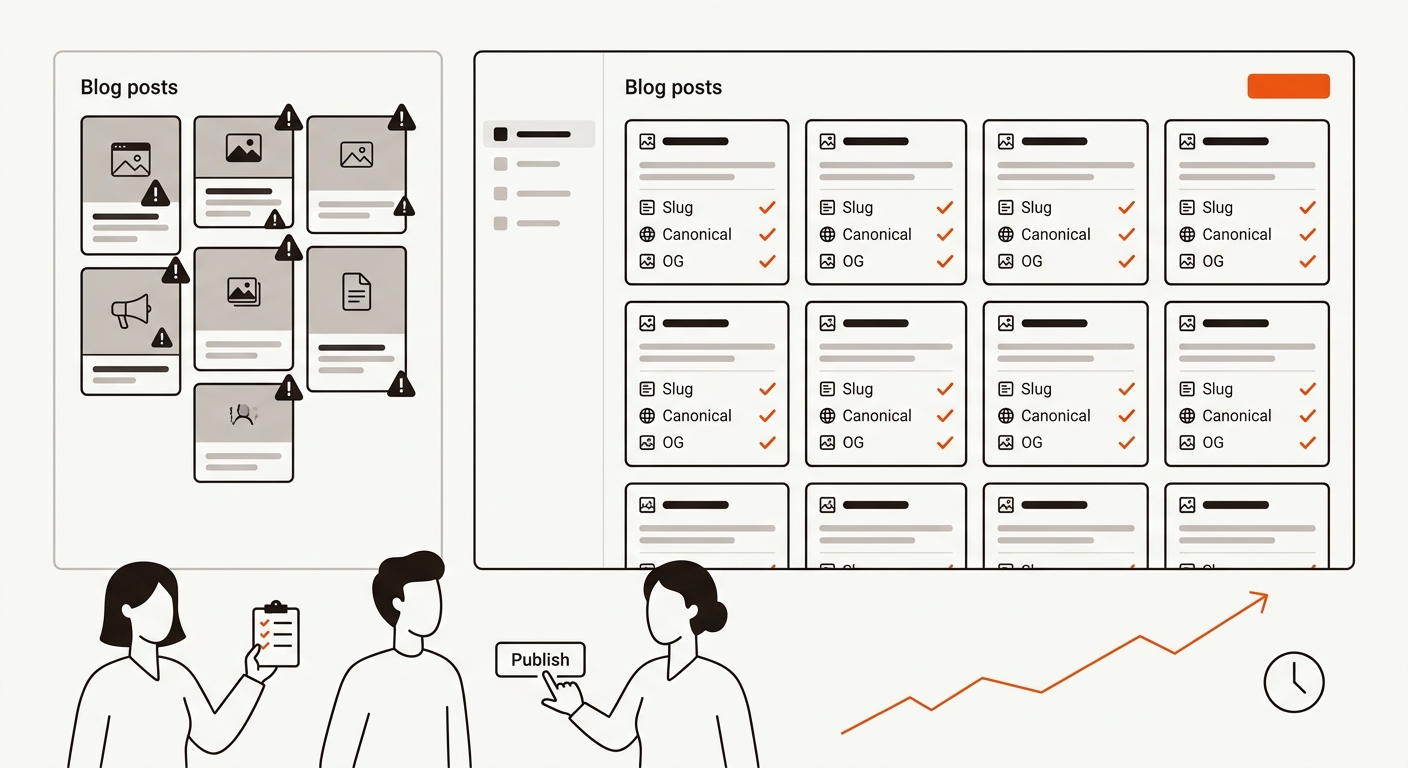
As you push volume, standardize inputs from your brief or generator so each field maps 1:1. See our approach to AI SEO content for field population, apply our Webflow SEO for startups indexing guide if you stall in discovery, and plan scale using SEO content automation workflows.
Webflow CMS lets you publish fast but does not enforce SEO discipline. Most startup blog templates ship missing canonical URLs, OG fields, schema, or 155-char meta description fields. A field-level Webflow CMS SEO checklist locks in the structure so every CMS item ships SEO-correct on the first publish.
Webflow's own SEO docs cover setup-level basics, title tags, meta descriptions, canonical URLs. Third-party Webflow guides from Finsweet and Flowbase show component patterns. None give the exact CMS field architecture a startup blog template needs to scale past 50 posts. The gap is field-by-field rules with character limits, character counts, and a Webflow-specific publishing checklist that prevents the indexing failures that kill early-stage SEO momentum.
Choose a system that can enforce field rules per post at scale. The best approach writes the spec once and applies it across every publish without drift.
Manual editing puts your content lead in copy-paste hell. At 20, 50 posts per month, expect 10, 15 hours each week lost to title trims, slug fixes, and canonical checks. Agencies reduce that lift but introduce lag and cost; even clean processes still ship with 1, 2 week delays and inconsistent application of your rules across accounts.
Most AI tools output drafts and sometimes fill basic metadata, but they rarely bind to your template-level validations. That causes title bloat, generic slugs, and OG gaps. Dashboards surface issues quickly but do not enforce corrections in the CMS, so problems persist until someone edits. Mergeflo publishes approved articles into your Webflow CMS fields when a person presses Publish, after quality and claim checks.
External validation on OG mechanics is available at Webflow University: Open Graph SEO. The gap is not knowledge. It is enforcing rules at the moment of publish.
Ship with non-negotiables that make every post indexable, scannable, and sharable on day one. Do this once per Collection Template.
• Bind SEO Title and Meta Description to fields; enforce max lengths with validation.
• Set Template Canonical to a bound field; never leave default or blank.
• Define slug pattern using the Primary Keyword; audit for 3, 5 words.
• Configure OG defaults with template-level fallbacks; bind per-item overrides.
• Add Last Updated Date to the template and surface it on-page below the H1.
• Ensure Hero Image has an Alt Text field; require it on publish.
• Add structured data: use Template head to output Article schema with bound fields; add optional FAQ block from CMS if present.
• Verify sitemap includes the blog Collection; submit in GSC and test a new URL.
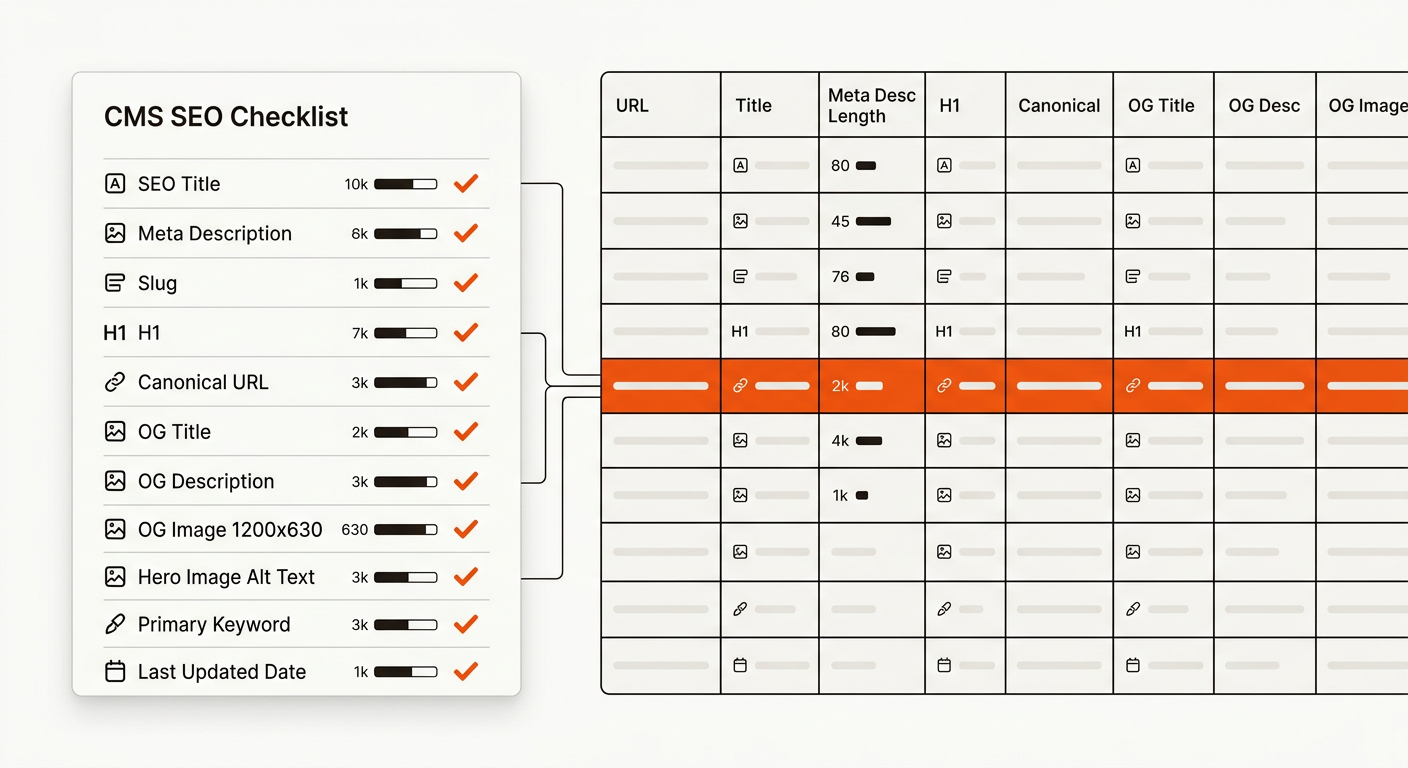
• Crawl with Screaming Frog to confirm titles, canonicals, and OG tags render server-side.
• Publish two test posts; confirm pixel truncation safe titles and clean slugs.
Consistent titles, slugs, canonicals, and Open Graph fields give each post cleaner search results and share previews.
Pick a setup that keeps the CMS template tight without dragging founder time into per-post field hygiene.
Per-post drift compounds. Founders who lock the template field architecture at post 5 avoid the rewrite tax at post 50.
Enforce 55, 60 chars for titles and 150, 160 for descriptions. Add template validation so authors cannot publish outside ranges. Make the meta title and description required fields with character limits enforced so authors cannot leave them blank.
Use lowercase, 3, 5 words, hyphen separators, and the primary keyword. Avoid dates and stop words. Keep under ~30 chars for scanability. Use lowercase, hyphen-separated slugs with the primary keyword and no stopwords, keep slugs under 60 characters so they render fully in SERP and assistant citations.
Yes. CMS quirks, UTMs, and pagination can create duplicates. A bound canonical removes ambiguity and consolidates signals. Yes, even single-source posts need self-canonical tags to defend against scraped duplicates that occasionally outrank the original on long-tail variations.
Add a script to the Template head that outputs JSON-LD with bound fields for headline, datePublished, dateModified, author, and mainEntityOfPage. Test in Rich Results. Inject Article schema via an HTML embed bound to CMS fields; map title, author, datePublished, and dateModified to the corresponding Webflow fields to keep schema accurate on every publish.
Make SEO Title, Meta Description, Slug, Canonical URL, H1, Primary Keyword, and Hero Alt Text required. Leave OG fields required with safe defaults. Require slug, meta title, meta description, OG image, primary keyword, canonical, FAQ JSON-LD, and updated-on date.
Decouple H1 from SEO Title. Bind both to separate fields. Use a formula in your brief to generate Title within 60 chars. Enforce a character counter in the CMS field plus a webhook that flags posts with title over 60 characters before publish; manual review catches outliers in under 30 seconds.
Yes. Use a workflow to map brief outputs to CMS fields. See our approach to AI SEO content and SEO content automation workflows. Yes via Webflow's Data API or workflow tools that map brief fields to CMS fields.
Start with Canonical, Slug, and Title bindings. Then add OG defaults and Last Updated. For automation, see our AI SEO blog generator. Audit five recent posts in GSC URL Inspection, identify the top three missing-field patterns, then fix the template before backfilling existing posts to prevent compounding drift.
Lock the spec, then scale the system. Your template is the contract between briefs and rankings. Enforce it with required fields, validations, and crawls, then ship volume confidently. When you are ready to operationalize the entire pipeline, turn the checklist into a workflow.
A 2, 5 person growth team can run this end to end, but the tradeoff is attention. Every manual exception adds risk, and this compounds past 200 pages when indexing lag and variance stack. If you want the automation path, evaluate our AI SEO blog generator for brief-to-publish speed. If Webflow is your stack, start with Webflow SEO automation to bind the spec into your template.
• Webflow SEO for Startups: Fix Indexing and Scale Content
• Startup Blog SEO Architecture That Compounds Growth
