
Manual CMS cleanup is the silent tax that slows down every Webflow blog at scale. If you publish 10-30 posts per month, hand-filling slugs, meta, links, and canonicals creates drift, errors, and indexing lag. Webflow SEO automation lets you push fully-optimized posts straight into Collections with metadata, schema, and internal links pre-wired, so you move from drafting to ranking without a cleanup phase. When automation sets canonicals, entity-rich meta, and link blocks before a post exists in the CMS, you cut out rework and shorten time-to-index.
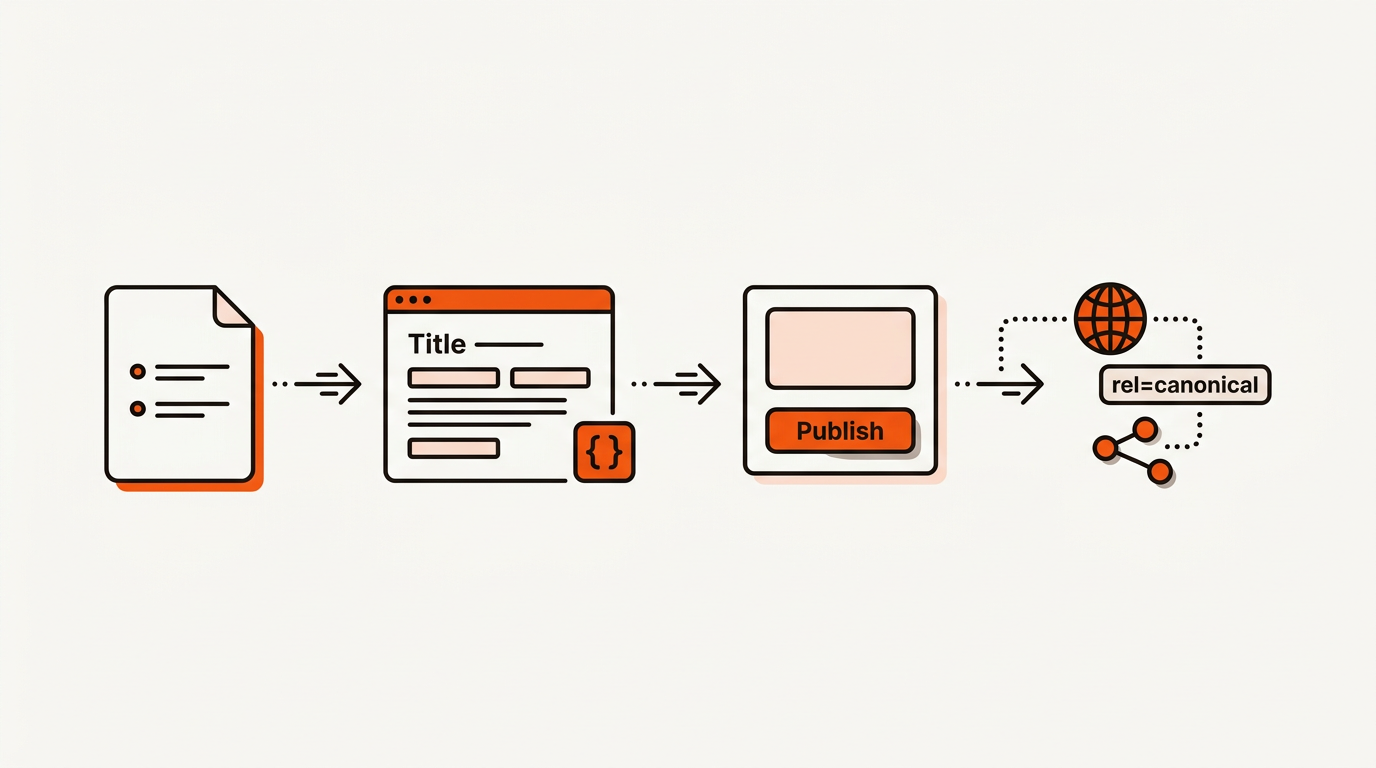
If you go native, use templated fields and AI fills at the Collection level. Lock overrides where needed and follow Webflow University: SEO Settings for sitewide rules. If you go DIY, script canonicals and sitemap pings, and stay within Google Canonical Guidelines to avoid duplicate handling surprises. If you go autonomous, insist on precomputed links and governance so the system enforces your cluster plan.
Everything below is what Webflow SEO automation removes from your weekly workload. Mergeflo's autonomous SEO platform adds FAQ schema at publish and suggests internal links for you to approve.
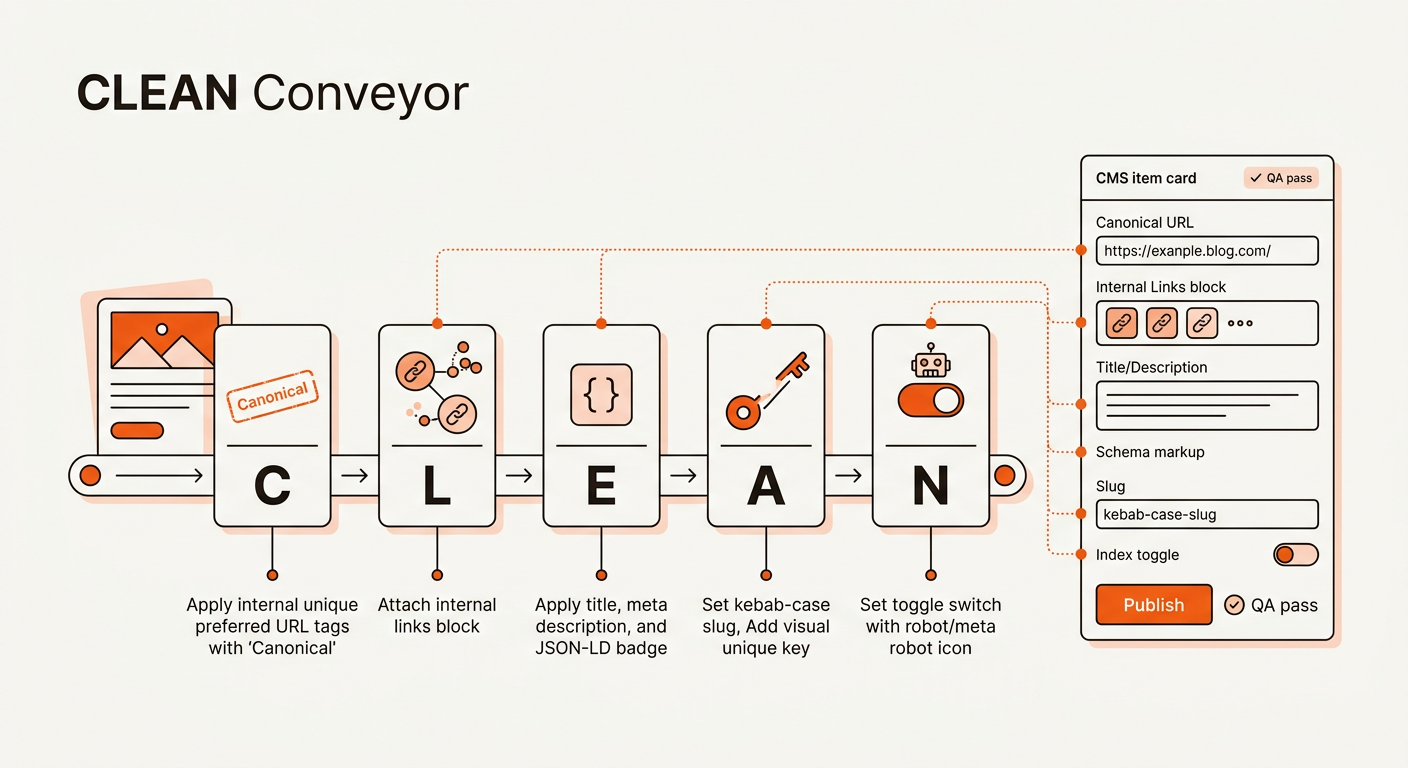
The CLEAN Conveyor turns briefs into ranked Webflow posts without manual cleanup. CLEAN = Canonical, Links, Entity meta, Addressable slugs, Noindex rules. It is a template-first publishing model: define Collection-level defaults that compute canonicals from your primary URL pattern, pull internal links from a cluster link map, write entity-rich titles, descriptions, and Article schema, and set a slug pattern based on primary keywords and modifiers. Noindex and canonicals are explicit.
The CLEAN Conveyor works because the hard decisions happen upstream. A post never enters your CMS without a canonical URL, internal link block, and schema payload ready. Apply per-item overrides only when entity signals or link density disagree with your defaults. The tradeoff is clear: tighter templates force consistency and speed, but require accurate link mapping and periodic QA so you do not scale the same mistake across 50 posts.
The math below shows how to check whether automation pays back at your publishing volume. Scenario: 20 posts per month, average KD 18 in Ahrefs, aiming for positions 4-8 with a 2.8 percent CTR, average monthly search volume per primary term 900, and one supporting long-tail each at 150 volume.
• Assumed impressions per month: 20 x (900 + 150) = 21,000
• Clicks at 2.8 percent CTR: 21,000 x 0.028 = 588
• Session to trial at 1.5 percent: 588 x 0.015 = 8.82, round to ~9 trials per month
Time savings if webflow SEO automation removes this manual work:
• Manual cleanup for slugs, meta, links, canonicals: 35 minutes per post
• QA and indexing admin: 20 minutes per post
• Saved: 55 minutes x 20 posts = 1,100 minutes = 18.3 hours per month
• At a 70 dollars per hour blended rate: 18.3 x 70 = 1,281 dollars saved per month
Cleaner internal links may add upside too: if 588 visits grow to 680 because more pages get indexed and cross-linking increases depth clicks by 15 percent, that is roughly 92 more visits and 1-2 extra trials per month at the same conversion rate. Treat this as a scenario to test, not a promised gain.
CMS cleanup and QA on every post add up to real hours of work each month. That time does not improve rankings; it fixes preventable ops debt. Shift that effort into briefs, link maps, and cadence so each dollar buys compounding clicks. The result is faster indexing, stronger internal links, and revenue impact earlier in your publishing cycle.
Most guides show you fields. Webflow University’s SEO lessons and feature pages explain settings, but stop short of cross-post internal linking and cadence governance. Ahrefs’ Webflow SEO tutorials focus on research. Our angle: build a conveyor where slugs, links, canonicals, and index rules are computed before a post hits the CMS, then publish equals deploy across clusters.
Sources: Webflow Feature: SEO, Ahrefs Blog: Webflow SEO Guide
Treat publish day as a signal deploy: canonicals, links, sitemaps, and redirects must ship together. The simplest working model wires each Webflow Collection to fields that represent your CLEAN Conveyor, then wraps publishing with automated checks. When every item carries its own canonical, link block, and schema JSON-LD, you stop playing whack-a-mole after hitting publish.
Map Webflow CMS fields to your templates: Use Collection fields for slug, meta title and description, canonical URL, index or noindex, and a multi-reference field for related posts driven by a link map. Generate Article schema in a code embed bound to fields like headline, author, datePublished, and mainEntityOfPage. Add a prepublish check to catch missing slugs, duplicate titles, stray noindex, and empty link maps. Document overrides in a changelog for traceability and to audit which templates need improvement.
Operational detail that helps rankings: compute internal links from your cluster link map, then insert them into the rich text via shortcodes or a designated reference block. Aim for 3-6 contextual links per post with 2 deep links to sibling cluster pages and 1-2 up-links to your pillar content. This increases crawl coverage and consolidates topic authority. For AI surfaces like Google’s AI Overviews, entity-rich titles and schema reinforce relevance signals beyond basic keywords.
If you adopt a DIY API approach, use the Webflow API to create or update items with complete SEO payloads. Fire a sitemap ping to Google and Bing on publish, and verify 200 or 301 status for every interlinked URL via a webhook that calls your preferred checker. With an autonomous platform, require two guarantees: link maps stay fresh as clusters grow, and index rules cannot regress silently when a writer edits.
Reference sibling workflows: Webflow CMS SEO Checklist: Template Rules That Scale, AI SEO Agents vs SEO Automation: Autonomy That Ships
Two focus areas speed up ranking after automation is in place. First, tighten your brief format so entity coverage and angle match the search intent, not just the head term. Second, update the link map whenever you publish new spokes so crawl paths stay dense and users have clear next clicks.
H3 headers help scannability inside long-form posts. Use them to group related tactics like link insertion points, schema fields, and example CTAs. Keep paragraphs short and connect ideas so readers move down the page without friction.
Automation is not about skipping SEO; it is about precomputing SEO so publish equals deploy. Build the CLEAN Conveyor, choose your path, and make every post ship with correct slugs, meta, links, canonicals, and index rules from day one. If you already publish 10-30 articles per month, this removes most of the copy-paste work from each post.
Most Webflow SEO guides stop at a checklist. The real cost is the repeated CMS cleanup on every post. Here is what each task looks like by hand versus automated:
The manual path is not hard, it is just repetitive, and repetition is where startups lose hours and ship inconsistently.
Webflow SEO automation covers the structural work of the article above: the page inventory, the workflow that keeps it shipping, and the measurement loop that confirms it's working. The sections preceding this FAQ describe each part in detail.
There is no fixed timeline. Google does not promise when, or whether, a page will rank. Watch Search Console impressions for the questions the page targets each week, because impressions move before clicks. A page with no impressions after a few months usually needs a sharper angle or more internal links.
Tooling alone runs $200 to 800 per month. Agency retainers start around $3k and climb fast. Mergeflo is software, not an agency: it researches and drafts, and your team approves what publishes.
Mergeflo researches topics, writes briefs and drafts in your brand voice, adds FAQ schema and suggests internal links. You choose the topics and approve each article, and it publishes to Webflow only when you press Publish. For pages losing reach, Mergeflo flags them, and when you press Refresh it writes a refresh brief for you to review.
