
Short answer: You can move a domain without losing most SEO value if you ship a complete 1:1 301 redirect map, keep content and IA identical, verify both properties, use Google's Change of Address, submit fresh sitemaps, and monitor/fix 404s quickly. Expect a temporary dip (weeks), when execution is tight.
Most migrations fail because teams change too much and map too little in one release. Combining a domain move with a redesign, new CMS, or IA changes multiplies unknowns. Search has to re-learn everything at once and authority diffuses through redirect chains and missed URLs.
Google: "Site moves may temporarily impact your site in search results while your pages are being reindexed." (Google Search Central)
Run the move as an infra change. Keep titles, content blocks, schema, canonicals, and internal links identical. Do the cosmetic work later. If you need to move a domain without losing its SEO value, isolate variables so drops are diagnosable within hours.
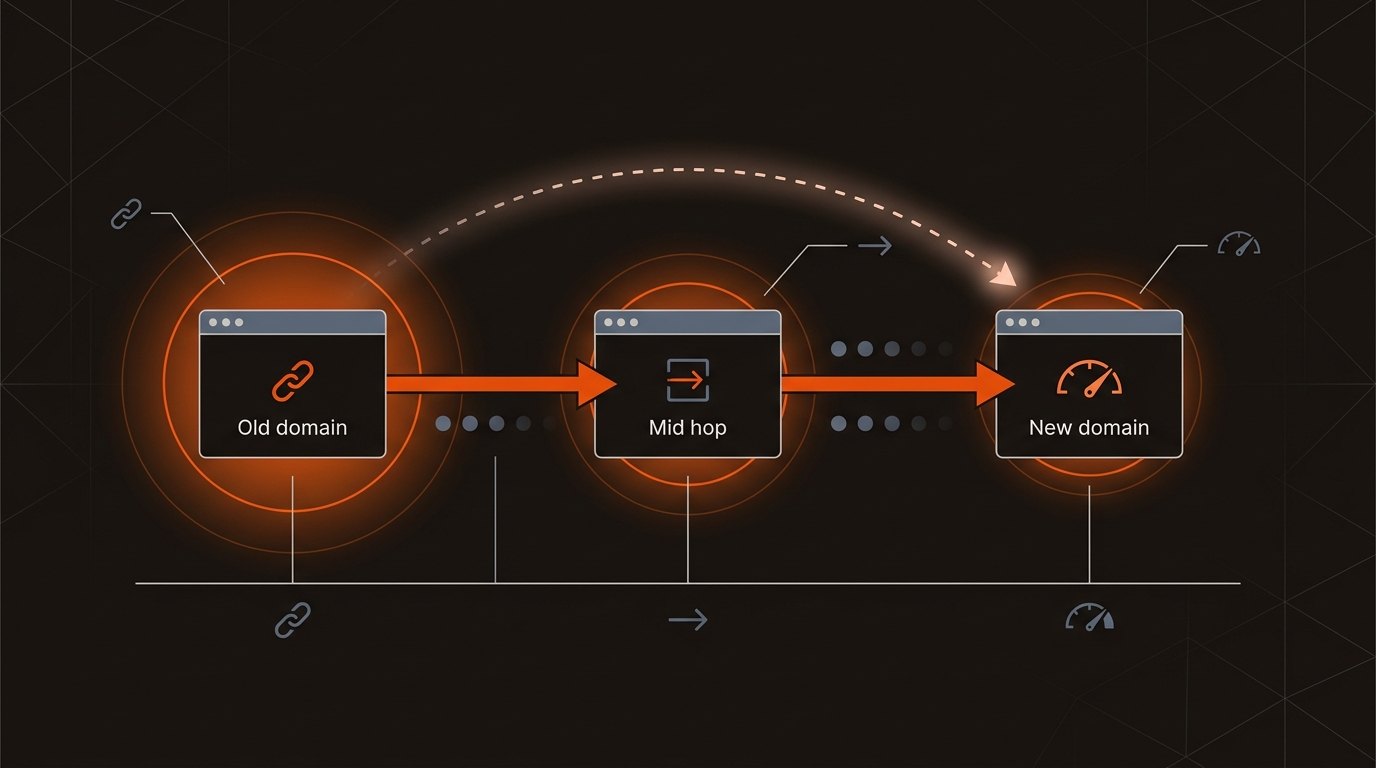
A complete, page-level 301 map is the non-negotiable control; everything else adds risk. Use server-level 301s. Avoid 302s, JS redirects, chains, or homepage catch-alls. Verify both domains in GSC before flipping DNS, then submit Change of Address and both sitemaps.
Comparison: Domain Migration Approaches and 0-90 Day Impact
Cross-check the new domain's history before committing. Use Wayback to confirm clean content history, run Spamhaus/MXToolbox blacklist checks, and query "site:newdomain.com" to inspect indexed URLs. A tainted history drags recovery regardless of execution, which undermines any plan to move a domain without losing its SEO value.
External sources:
• Change of Address in Search Console: https://support.google.com/webmasters/answer/9370220
• Site move with URL changes: https://developers.google.com/search/docs/crawling-indexing/site-move-with-url-changes
For deeper context, see Is Link Still Relevant To SEO.
On a 10,000 URL site, a single-day cutover with a complete one-to-one 301 map beats phased, pattern-only redirects that leave gaps. Expect roughly 8,000 templated URLs and 2,000 exceptions; handle templates with rewrite rules, exceptions with a lookup table. Test a 1,000 URL sample before cutover: verify 301, zero chains, correct canonicals, identical hreflang, and parity of title, H1, and body copy. Keep media and JS paths consistent or redirect them. Do not mix 302 or meta-refresh. Use 410 only for content you intentionally retire, not to mask mapping misses.
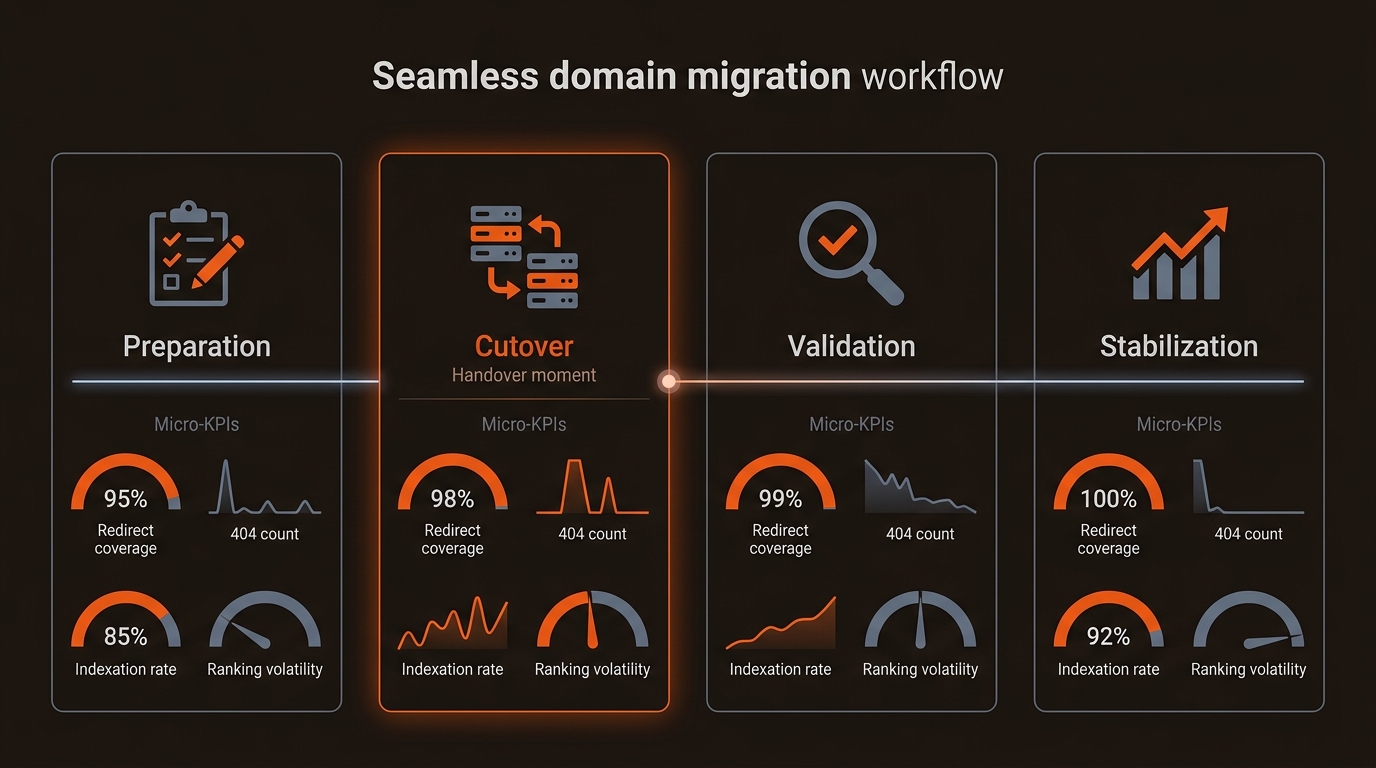
Stability wins the move; structured signals speed the rebound. After cutover, accelerate consolidation with clean internal links, validated canonicals, fresh XML sitemaps, and schema on priority pages. Triage high-value 404s quickly using GSC Coverage, Crawl Stats, and logs. Ask top referrers to update backlinks to the new URLs.
Mergeflo can help here by tracking your Google clicks and positions in Search Console before and after the move. If indexing lags post-move, follow our workflow in How To Fix Pages Not Indexed By Google.
Immediately after launch, push discovery and stabilize signals. Submit separate XML sitemaps for top templates and a high value list of 500 to 1,000 URLs with accurate lastmod. Use Change of Address and verify all variants in Search Console. Update internal links so in-site clicks go straight to the new URLs. Monitor logs daily: Googlebot should hit 200 at the new location, 301 at the old, with 5xx errors rare and 404s trending to zero. Triage orphaned URLs, fix canonicals, and contact owners of the top 50 external links to update targets.
Keep it indefinitely if possible; minimum 12 months. Maintain server-level 301s, valid TLS, robots.txt, and sitemaps so crawlers and bookmarks consolidate equity. Removing the old property early creates orphaned links and recurring 404s that slow recovery and increase support load.
301s pass signals, but direct links to the new URLs consolidate faster. Prioritize outreach to your top 50-100 linking pages (by URL Rating/referring domains from Ahrefs or SEMrush). Provide exact target URLs and track changes.
After 1:1 301s are live and both domains are verified in the same GSC account. Then submit updated sitemaps for both properties. Monitor Coverage, Crawl Stats, and Page indexing reports daily for 2-4 weeks to catch missed paths or template-level issues that hurt domain migration SEO outcomes.
Avoid it. Lock content, titles, canonicals, schema, and IA during the move window. Ship the domain change first, confirm stabilization, then schedule template or content updates. This isolates variables and makes any drops diagnosable and fixable within hours, helping you move a domain without losing its SEO value.
