
Short answer: There is no single best schema for SEO. Use sitewide Organization, WebSite, and BreadcrumbList. Then map page intent to supported types that unlock rich results: Article/NewsArticle, Product (with Offer/AggregateRating), VideoObject, Event, JobPosting, SoftwareApplication. Implement JSON-LD server-side, validate, and ensure the schema matches visible content.
New to structured data? Our main guide explains what schema markup is and how to validate and monitor it, and lists every schema guide we have.
Schema only drives ROI when it is eligible for a rich result and precisely matches on-page content. Random markup, missing required properties, or client-rendered JSON-LD that bots never see produces zero lift. Ship baseline entity markup sitewide, then align page-level schema to queries you can win and validate with Google’s Rich Results Test.
Rendering is an operational trap. Server-render schema wherever possible, or pre-render with your CDN, and keep error rates near zero in Search Console.
• External: Google Search Gallery (eligibility changes; check monthly): https://developers.google.com/search/docs/appearance/structured-data/search-gallery
• External: Rich Results Test: https://search.google.com/test/rich-results
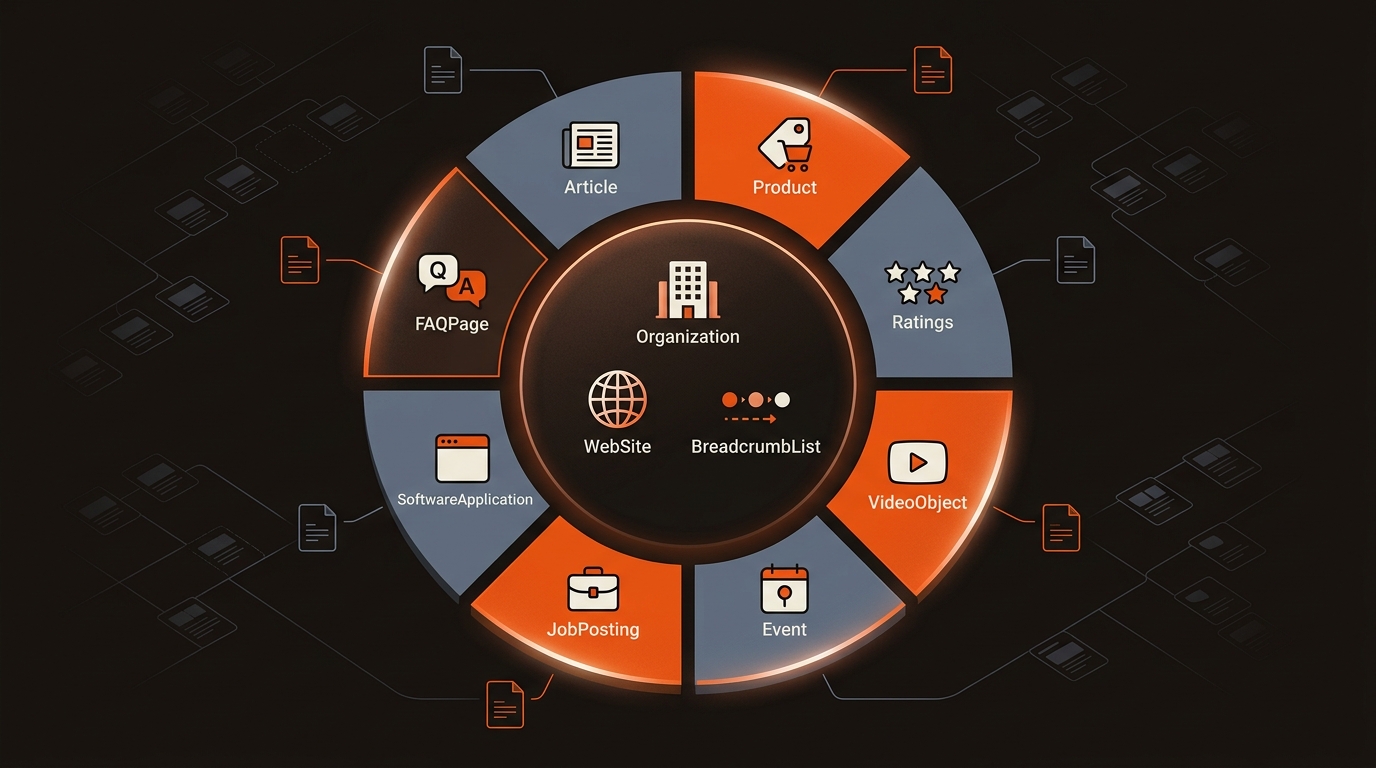
Select schema that matches intent and is currently supported for rich results you can earn. Eligibility shifts; for example, Google removed HowTo rich results in 2023 and stopped showing FAQ rich results in May 2026. Validate requirements and keep properties complete and truthful.
Schema Types That Consistently Pay Off When Implemented Correctly

Implement at the template level. Add JSON-LD once per CMS template (post, product, job, event), populate required and recommended fields, and test a sample URL in the Rich Results Test and URL Inspection. Track Search Appearance metrics in GSC for each type to confirm eligibility and CTR movement.
Schema wins stick when they are baked into your publishing system and monitored per template. Mergeflo covers the content side: it researches topics, drafts articles with FAQ schema and suggested internal links, and publishes what you approve to Webflow. Other types come from your own templates, so validate them and keep them current as requirements change.
If you are unsure what’s already present, start by running a check to see if your site has schema markup, then standardize templates. We wrote a primer on how to check if your site already has schema markup. Bake schema into CMS components so it scales with content volume and survives redesigns.

• External: Schema.org Validator: https://validator.schema.org/
Schema is not a direct ranking factor, but it increases visibility through rich results and clarifies entities for indexing. The net effect is often higher CTR on eligible queries and stronger disambiguation of brand and product entities. Measure page-level impact in GSC by filtering Search Appearance for each supported feature.
No. Use FAQPage only when the page contains visible Q&A that advances the user’s task. Google stopped showing FAQ rich results in May 2026, so the markup no longer changes how a result looks. Prioritize FAQ on product, pricing, or implementation guides where objections cluster.
Use JSON-LD. It is Google’s recommended format, easier to maintain in templates, and less brittle during design changes. Prefer server-rendered JSON-LD or pre-render via CDN to avoid hydration issues where bots miss client-injected markup.
Build page sets by schema type and track impressions, CTR, and Search Appearance in GSC over 28-90 days. Pair with Screaming Frog extractions to keep error rates near zero and verify rendering. For AEO, track citations in AI Overviews and chat engines alongside organic clicks to capture full visibility impact.
